 EN
 IT Italiano
 ES Español
 FR Français
 DE Deutsch
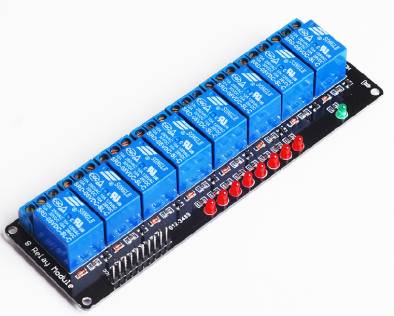
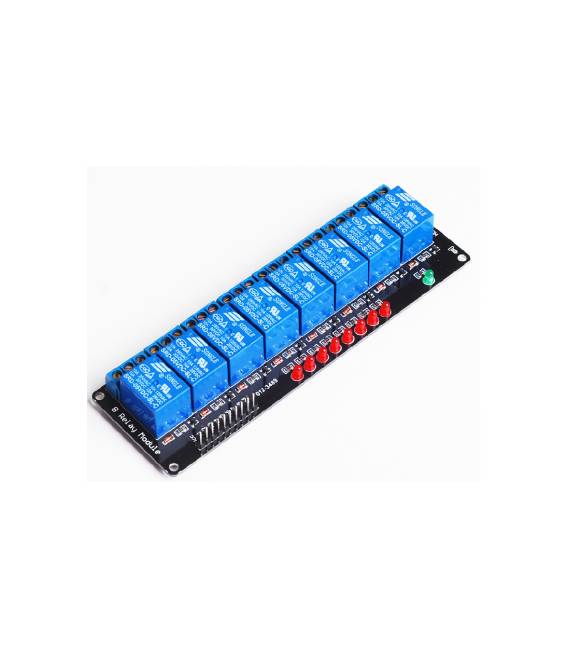
Description
What it is
The 8 Channel Relay Shield is an accessory for microcontrollers that allows you to control up to 8 relays simultaneously. Compatible with AVR, 51, and PIC microcontrollers, it is ideal for Arduino projects that require the switching on and off of high current devices.
Features
- 8 Channel Relay
- Supports AVR, 51, and PIC microcontrollers
- Compatible with Arduino
What it is for
The board is useful for controlling devices that require a high current flow, such as lights, motors, or solenoids. You can use it to create automatic lighting systems, control door opening and closing, or manage other electronic devices.
Tutorial: How to Use 8 Channel Relay Shield
The 8 Channel Relay Shield allows you to control up to 8 relays from an Arduino. Useful for projects that require controllable outputs.
What you need
- Arduino compatible (AVR, 51, PIC)
- 8 relays
- Cables and connectors
- Check the datasheet for specifications and voltages
Steps
- 1. Install the Shield on the Arduino.
- 2. Connect the relays to the correct pins on the Shield.
- 3. Configure the relay digital pins in the Arduino code.
- 4. Write the code to control the relays.
- 5. Upload the code to the Arduino.
- 6. Check the relays to ensure they are working correctly.
- 7. Adapt the code for different applications.
- 8. Verify the voltage of the connections.
Example code
```void setup() { pinMode(2, OUTPUT); pinMode(3, OUTPUT); pinMode(4, OUTPUT); pinMode(5, OUTPUT); pinMode(6, OUTPUT); pinMode(7, OUTPUT); pinMode(8, OUTPUT); pinMode(9, OUTPUT); pinMode(10, OUTPUT); digitalWrite(2, HIGH); delay(1000); digitalWrite(2, LOW);}```Mini project
Create an automatic lighting system. Connect the relays to lights and set a timer.
Common mistakes
- Connecting relays to voltages higher than the specified value.
- Forgetting to check pin compatibility.
- Writing Arduino code without testing.
- Not using ESD protection.
Recommended accessories
- Relay
- Light sensors
- Timer
- Test leads
Frequently asked questions
How can I connect the relays?
Connect the VCC and GND pins of the relays to the corresponding pins on the Shield. Use the control pins to activate or deactivate the relays.
What are the maximum voltages for the relays?
Check the datasheet for specific voltages.
Does the Shield work with all types of Arduino?
Check the specific compatibility of the Shield with your Arduino model.
Can I use the Shield with other microcontrollers?
The Shield supports only AVR, 51 and PIC microcontrollers. Check compatibility.



Reviews
There are no reviews yet.