 EN
 IT Italiano
 ES Español
 FR Français
 DE Deutsch
Description
What it is
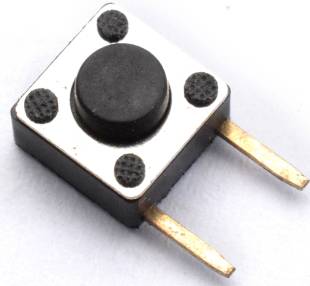
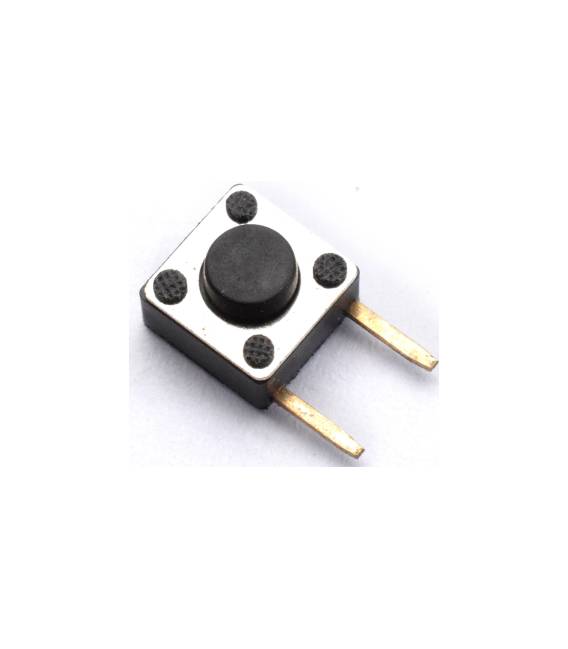
This kit contains 20 tactile buttons with dimensions of 6x6x4.3mm and DIP 2 Pin connectivity. They are designed to be used in electronic projects, particularly with platforms like Arduino.
Features
- 20 tactile buttons
- Dimensions: 6x6x4.3mm
- Connectivity: DIP 2 Pin
What it is for
Tactile buttons are ideal for creating simple and functional user interfaces in your Arduino projects. They can be used to manage manual inputs, such as turning LEDs on or off, controlling data flow, or activating various functions. They are suitable for both beginners and intermediate makers.
Tutorial: How to Use 6x6x4.3mm DIP 2 Pin Tactile Button Kit
These tactile buttons are perfect for projects that require managing simple manual inputs. Suitable for beginners and intermediate makers.
What you need
- 6x6x4.3mm DIP 2 Pin Tactile Button Kit
- Arduino
- 10kΩ Resistor
- Multimeter
Steps
- 1. Check the specifications on the datasheet.
- 2. Identify the DIP pins on a button.
- 3. Connect the button to GND and the digital pin on Arduino (e.g., 2).
- 4. Connect the resistor between the digital pin and VCC.
- 5. Load the Sketch code.
- 6. Check the connection with a multimeter.
- 7. Try pressing the button.
- 8. Verify the reading on Arduino.
Example code
```void setup() {} void loop() { int buttonState = digitalRead(2); if (buttonState == HIGH) { Serial.println("Pulsante premuto"); } }```Mini project
Create a simple switch to turn on/off an LED.
Common mistakes
- Do not connect the button directly to VCC.
- Check that the resistor is correct.
- Check the polarity of the connectors.
- Ensure that the code is correct and loaded properly.
Recommended accessories
- LED
- 220Ω Resistor
- Power supply rail
- USB cable
Frequently asked questions
How can I test the connection?
Use a multimeter to verify the correct connection between the button and the Arduino pins.
Can I use another type of resistor?
Yes, but make sure the value is between 1kΩ and 100kΩ.
Does the button work with Arduino Uno?
Yes, it works with any Arduino.
Can I use more buttons?
Yes, connect additional buttons to the digital pin of Arduino.



Reviews
There are no reviews yet.