 EN
 IT Italiano
 ES Español
 FR Français
 DE Deutsch
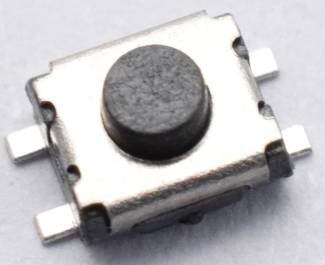
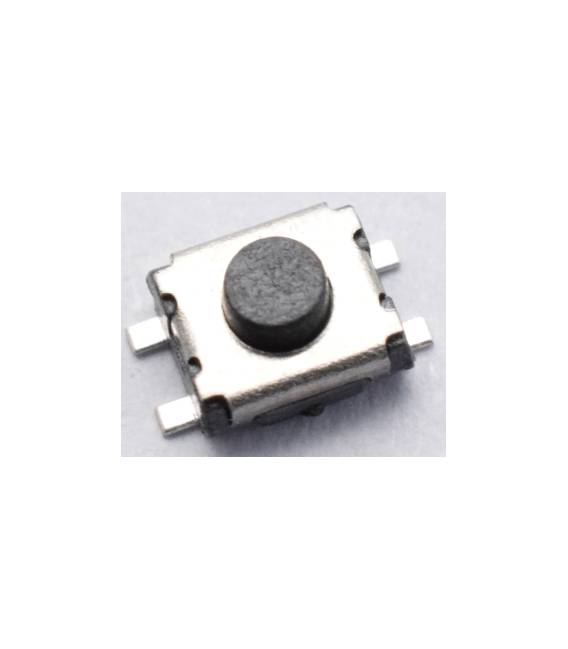
Description
What it is
The Kit of SMD Tactile Buttons 3×3.5x2mm 4 Pin – 10 Pieces for PCB contains 10 SMD (Surface Mount Device) tactile buttons designed to be mounted on printed circuit boards (PCB).
Features
- 10 SMD tactile buttons
- Dimensions: 3×3.5x2mm
- 4 pins
- Ideal for PCB
What it is for
These SMD buttons are suitable for electronic projects, particularly for Arduino, that require human interaction. They can be used to create simple user interfaces, such as a pressure counter with two buttons, or to activate specific functions within the circuit.
Tutorial: How to Use SMD Tactile Buttons Kit
These SMD buttons are ideal for Arduino-based projects that require human interaction. Suitable for beginners and intermediates.
What you need
- SMD Tactile Buttons Kit
- Multimeter
- Pliers
- Soldering Iron
Steps
- 1. Check the specifications on the datasheet.
- 2. Draw a circuit with the buttons on your PCB.
- 3. Prepare the SMD buttons with tweezers.
- 4. Connect the buttons to the circuit: GND to GND, VCC to VCC, and the input pins to digital pins on Arduino.
- 5. Check the contacts with a multimeter.
- 6. Solder the buttons, checking the position.
- 7. Test the buttons with a basic Arduino sketch.
- 8. Install the PCB in a project.
Example code
```void setup(){}void loop(){ if(digitalRead(2) == HIGH) { Serial.println("Pulsante premuto"); }}```Mini project
Create a simple pressure counter with 2 buttons.
Common mistakes
- Solder at too high temperatures.
- Connect the buttons to VCC without GND.
- Omit the test with a multimeter.
- Do not check the position of the buttons before soldering.
Recommended accessories
- PCB for Arduino
- Tweezers
- Soldering iron
- Multimeter
Frequently asked questions
How can I test the contacts before soldering?
Use a multimeter in resistance mode.
Which digital pins of Arduino can I use?
Any digital pin, depending on your PCB.
Are the SMD buttons compatible with Arduino Uno?
Yes, but make sure the connection pins are compatible.
Can I use these buttons for Raspberry Pi projects?
Check if the connection pins are compatible with Raspberry Pi.



Reviews
There are no reviews yet.