 EN
 IT Italiano
 ES Español
 FR Français
 DE Deutsch
Description
What it is
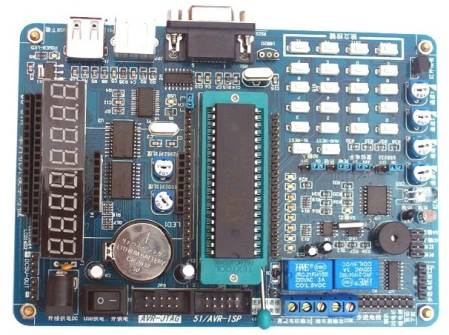
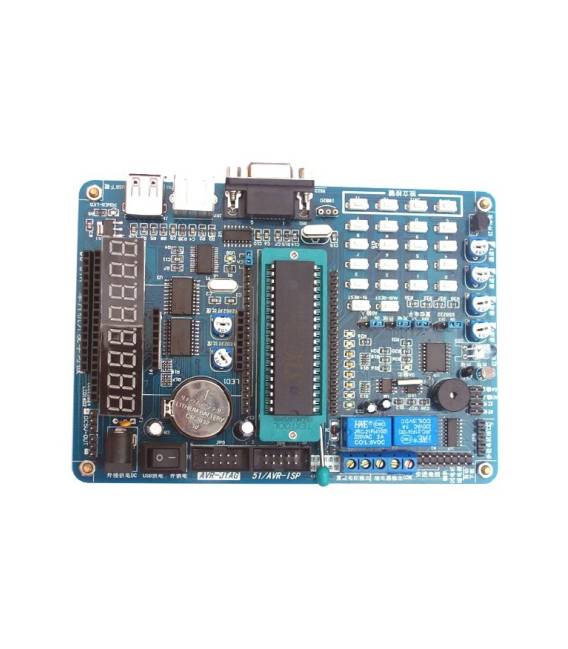
The 51 MCU Development Board is a development board designed to work with 51 microcontrollers. It allows you to program and test your projects directly on the circuit thanks to automatic ISP download.
Features
- Compatible with 51 microcontrollers
- Automatic ISP download
What it is for
The board is useful for developing and testing programs on 51 microcontrollers. It can be used for simple projects such as a 7-segment display stopwatch.
Tutorial: How to use 51 MCU Development Board with Automatic ISP Download
This board allows you to develop and test your programs on 51 microcontrollers directly on the circuit. Useful for beginners and those who want to speed up project development.
What you need
- 51 Microcontroller
- Arduino IDE
- USB cable
- Check the datasheet
Steps
- 1. Download and install the Arduino IDE.
- 2. Connect the board to your computer with the USB cable.
- 3. Select ‘Arduino as ISP’ in the configuration options.
- 4. Upload the example code ‘Blink’ to the Arduino IDE.
- 5. Check that the LED connected to pin 13 blinks.
- 6. Try modifying the code to control other pins.
- 7. Add a simple stopwatch using an internal timer.
- 8. Verify the stopwatch functionality.
Example code
```
void setup() {
  pinMode(13, OUTPUT);
}

void loop() {
  digitalWrite(13, HIGH);
  delay(1000);
  digitalWrite(13, LOW);
  delay(1000);
}
```
Mini project
Create a simple stopwatch using a 7-segment display and the 51 MCU board.
Common mistakes
- Do not connect the board to the computer correctly.
- Forget to select ‘Arduino as ISP’ in the configuration options.
- Use incorrect or unsuitable code for the 51 microcontroller.
- Do not use a USB cable suitable for ISP download.
Recommended accessories
- 7-segment display
- LED
- Resistor
- Check the datasheet
Frequently asked questions
Which 51 microcontrollers does this board support?
It supports all 51 microcontrollers compatible with ISP.
Is a computer necessary to develop programs?
Yes, the Arduino IDE must be run on a computer.
Can I use this board with other IDEs?
Yes, but check compatibility on the datasheet.
How long does it take to load the code?
Code upload time depends on the program, but it is usually quick.



Reviews
There are no reviews yet.