 EN
 IT Italiano
 ES Español
 FR Français
 DE Deutsch
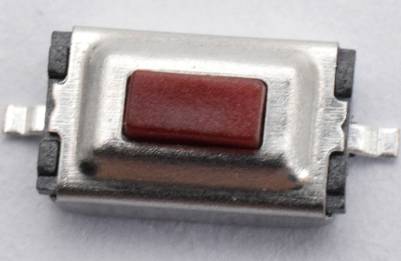
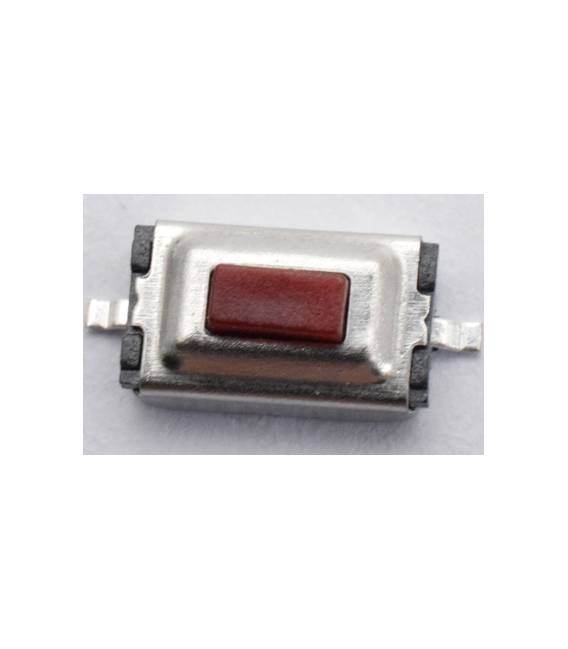
Description
What it is
This kit contains 20 red tactile SMD buttons, with dimensions 3x6x2.5mm and 2 pins. They are designed to be inserted into printed circuit boards (PCB) thanks to their SMD shape.
Features
- Dimensions: 3x6x2.5mm
- Color: Red
- Type: SMD
- Pins: 2
- Quantity: 20 pieces
What it is for
Tactile SMD buttons are electronic components used to create interactive user interfaces. They can be integrated into Arduino projects and PCB prototypes to create small-sized switches. An example of use is the creation of a pressure counter that records the number of times a button is pressed and displays the count on an LCD screen.
Tutorial: How to Use Tactile SMD Button Kit
Tactile SMD buttons are essential electronic components for creating interactive user interfaces. Ideal for Arduino projects and PCB prototypes, these 3x6x2.5mm red SMD buttons offer easy connections and a professional look to your projects.
What you need
- Arduino Uno
- Prototype board
- Wire stripper
- Soldering wire
- Soldering iron
Steps
- Prepare your prototype board and position the SMD buttons using the wire as a guide
- Make the necessary connections between the button pins and the prototype board
- Check the position of the buttons to ensure good contact
- Solder the wires to the button pins
- Check the soldering and connection
- Test the button with a simple Arduino sketch
- If necessary, repeat the process for all the buttons in the kit
Example code
const int pulsante = 2;
void setup() {
  pinMode(pulsante, INPUT);
}
void loop() {
  if (digitalRead(pulsante) == HIGH) {
    Serial.println("Pulsante premuto");
  }
}
Mini project
Create a pressure counter that records the number of times an SMD button is pressed and displays the count on an LCD display
Common mistakes
- Insufficient or excessive soldering
- Imprecise placement of buttons
- Incorrect pin connections
- Lack of testing before final installation
Recommended accessories
- LCD Display
- Soldering Kit
- PCB Cleaning Kit
- Electronic Testing Kit
Frequently asked questions
What are the dimensions of the buttons?
The buttons have dimensions 3x6x2.5mm
How do the pins connect?
Check the datasheet for connection specifications
What projects can be made with these buttons?
The buttons are suitable for user interface projects, counters, and input systems for Arduino



Reviews
There are no reviews yet.