 EN
 IT Italiano
 ES Español
 FR Français
 DE Deutsch
Description
What it is
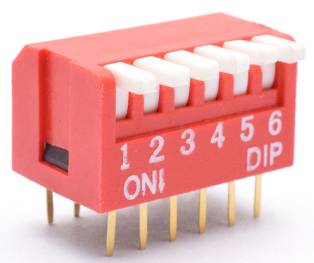
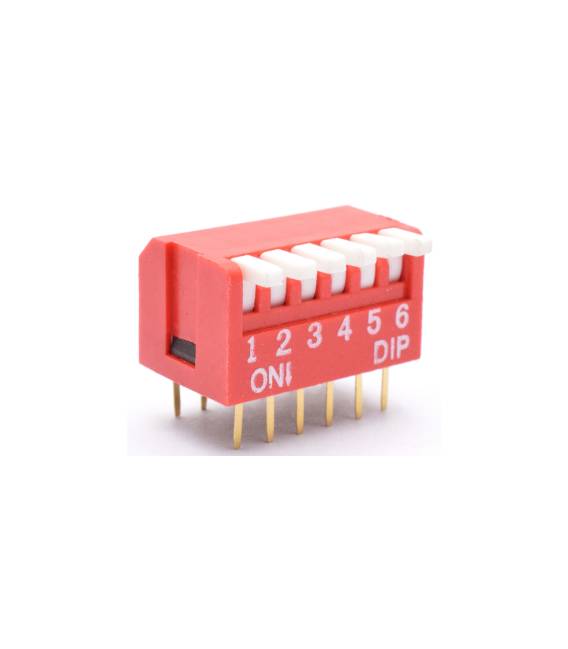
This toggle switch with 2 poles at 2.54 mm is an electronic component that allows selecting between two different states. The lever can be moved to one of the two positions to activate or deactivate a circuit.
Features
- Type: Toggle Switch with Quadrant Lever
- Number of Poles: 2
- Distance Between Pins: 2.54 mm
- Quantity: 2 pieces
What it is for
This switch is ideal for controlling devices that require a choice between two positions, such as lights, motors, or other electronic components. It can be used in Arduino projects, robotics, and other areas where simple and direct control is needed.
Tutorial: How to Use the 2-Pole Toggle Switch with Quadrant Lever at 2.54 mm for 2 pieces
This switch is ideal for controlling devices that require a choice between two positions, such as lights or motors. Useful for beginner and intermediate makers.
What you need
- Toggle Switch with Quadrant Lever
- Arduino or compatible microcontroller
- Power supply cable
- 1 kΩ resistor
- 2 LEDs (optional)
Steps
- 1. Mount the switch on the circuit, with the lever facing up.
- 2. Connect the switch input pins to the microcontroller.
- 3. Connect the switch power pin to the microcontroller power supply.
- 4. Connect the switch ground pin to the microcontroller ground.
- 5. Connect a 1 kΩ resistor between an input pin and ground.
- 6. Connect an LED to a digital pin on the microcontroller.
- 7. Write an Arduino code to control the state of the switch.
- 8. Upload the code to the microcontroller.
Example code
void loop() {
  if (digitalRead(pino_interruttore) == HIGH) {
    digitalWrite(pino_led, HIGH);
  } else {
    digitalWrite(pino_led, LOW);
  }
}
Mini project
Build a lighting system that turns on/off when the lever is moved.
Common mistakes
- Correctly connect the ground and power pins.
- Check the datasheet for the correct polarity of the inputs.
- Use the resistor to protect the microcontroller.
- Ensure that the switch is well assembled and stable.
Recommended accessories
- Arduino Uno
- LED
- 1 kΩ resistor
- Perfecto connector
Frequently asked questions
How can I check the state of the switch in the code?
Use `digitalRead(pino_interruttore)` to get the state.
Can I use this switch with a different microcontroller?
Yes, but check the pin compatibility.
Is the LED necessary for operation?
No, but it is useful for debugging.
Which pins to use for the switch?
Use the digital pins of the microcontroller.



Reviews
There are no reviews yet.