 EN
 IT Italiano
 ES Español
 FR Français
 DE Deutsch
Description
What it is
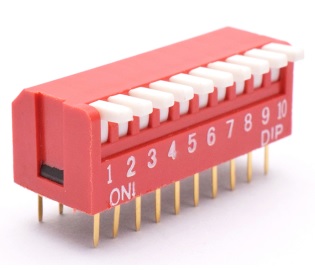
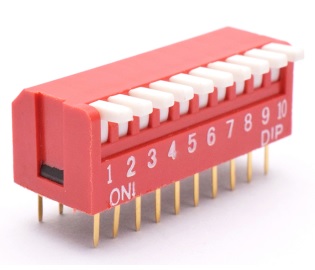
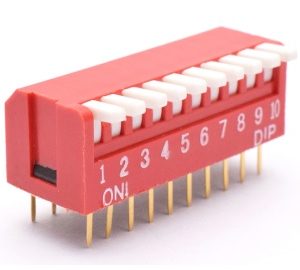
The lever switch with 2.54 mm pitch and 10 ways is an electronic component used to regulate electrical circuits. This type of switch offers easy management of device functions through the lever operation.
Features
- Type: Quadrant Lever Switch
- Ways: 10
- Pitch: 2.54 mm (0.1″)
What it is for
This switch is ideal for controlling various functions in electronic projects such as lights, motors, or interrupting devices. It is useful for both beginners and intermediate makers. You can use it to create a simple circuit to control an LED with the switch.
Tutorial: How to Use the 2.54 mm Quadrant Lever Switch with 10 Ways
This quadrant lever switch is ideal for controlling various functions in electronic projects, such as lights, motors, or interrupting devices. Useful for beginner and intermediate makers.
What you need
- 10-way Quadrant Lever Switch with 2.54mm Spacing
- Arduino or compatible microcontroller
- Power cable
- Pull-up resistor (optional)
Steps
- 1. Assemble the switch on the prototype or circuit board.
- 2. Connect the VCC pin of the switch to the Vcc of the microcontroller.
- 3. Connect the GND pin of the switch to the GND of the microcontroller.
- 4. Connect the contact pins to the microcontroller, check the datasheet.
- 5. If necessary, add a pull-up resistor between one of the pins and GND.
- 6. Load the Arduino code to read the state of the switch.
- 7. Test the functionality of the switch.
- 8. Adapt the code to control the different positions.
Example code
```void setup() {} void loop() { int state = digitalRead(pin); Serial.println(state); } ```Mini project
Create a simple circuit to control an LED with the switch. Connect an LED to one of the contact pins and GND, and the switch pin to a digital pin of the microcontroller.
Common mistakes
- Do not connect the switch pins correctly.
- Forgot to add a pull-up resistor.
- Used the wrong pin in the code.
- Did not test the circuit before uploading the code.
Recommended accessories
- Arduino Uno
- LED
- Resistor
- 5V power supply cable
Frequently asked questions
How can I check the proper functioning of the switch?
Check the functionality by monitoring the digital state with a serial software.
Can I use this switch with a different microcontroller?
Yes, but check compatibility and connections on the datasheets.
Which pins of the switch should I connect?
Connect the VCC, GND, and contact pins to the microcontroller, check the datasheet.
Can I use this switch to control a motor?
Yes, but check the maximum current and type of motor.



Reviews
There are no reviews yet.