 EN
 IT Italiano
 ES Español
 FR Français
 DE Deutsch
Description
What it is
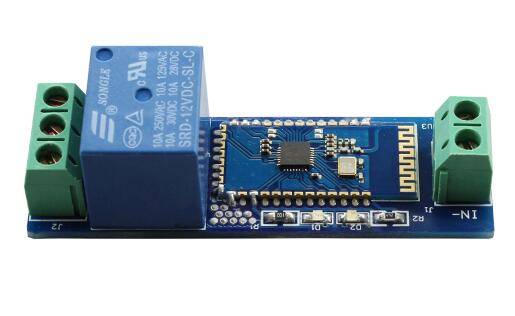
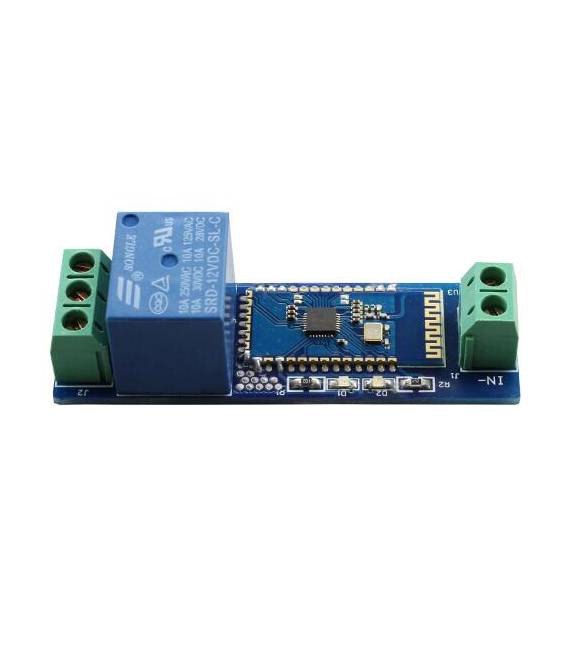
The 12V / 10A single channel relay module is an electronic device that allows the control of electrical devices via a Bluetooth signal from a smartphone.
Features
- Switching Voltage: 12V
- Maximum Current: 10A
- Channels: 1
- Communication: Bluetooth
- SKU: ARD0011343
- Price: 11.56 €
- Availability: Pre-order
What it is for
This module is ideal for automating the control of electrical devices such as lights, doors, and appliances. It can be used to create automatic lighting systems, security systems, or to control devices remotely via a mobile app. Compatibility with Arduino or ESP can be verified in the datasheet.
Tutorial: How to use Bluetooth Relay Module 12V/10A
The Bluetooth relay module 12V/10A is ideal for controlling electrical devices from a distance. You can use it to automate lights, doors, or any other device connected to an electrical outlet.
What you need
- Arduino Uno
- 12V Battery
- USB Cable
- Sensors (optional)
- Arduino IDE Software
Steps
- Install the Arduino IDE and the necessary driver for your Arduino Uno.
- Connect the Bluetooth relay module to the Arduino Uno following the product documentation.
- Configure the Bluetooth relay module via the mobile app or configuration software.
- Write and upload an Arduino sketch to control the relay module.
- Verify the Bluetooth connection between the Arduino and your mobile device.
- Test the relay module by turning on and off a connected device.
- Customize the sketch to add features such as sensor control.
- Test the module in real conditions, for example to control a lamp or a motor from a distance.
Example code
void setup() {
  Serial.begin(9600);
}

void loop() {
  // Codice per inviare comandi al modulo relè
}
Mini project
Create an automatic lighting system that activates with a mobile app. Connect the relay module to a lamp and use the app to control the switch.
Common mistakes
- Do not configure the Bluetooth relay module correctly.
- Do not verify the correct Bluetooth connection.
- Do not connect the power to the relay module correctly.
- Do not manage the relay power limits correctly.
Recommended accessories
- Motion sensors
- 12V batteries
- Power cables
- Arduino Pro Mini
Frequently asked questions
How can I configure the relay module?
Follow the configuration guide provided by the manufacturer or use the mobile app specified for the module.
Which devices can I control?
You can control any device that requires a maximum current of 10A and a voltage of 12V.
How can I manage multiple devices?
To manage multiple devices, purchase a relay module with multiple channels or use separate relay modules.



Reviews
There are no reviews yet.