 EN
 IT Italiano
 ES Español
 FR Français
 DE Deutsch
Description
What it is
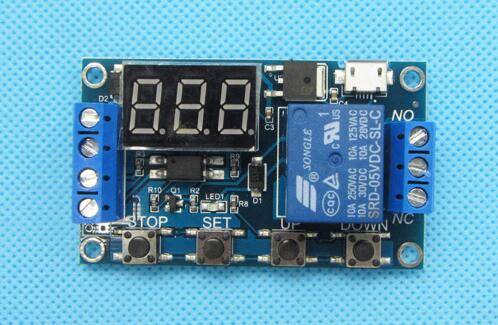
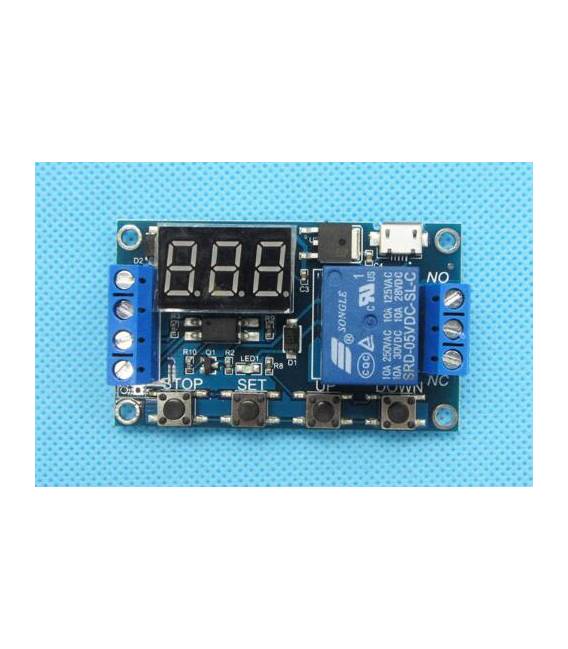
The Delay Timer Relay Module 1 Channel is an electronic component that allows you to control an electrical device after a adjustable delay time.
Features
- 1 Channel
- Adjustable delay time
- SKU: ARD0011269
- Price: 7.92 €
- Category: Pre-order
What it is for
This module is ideal for automating simple processes, such as turning on and off lighting at regular intervals or controlling an electrical device after a certain time. It is compatible with microcontrollers like Arduino and ESP.
Tutorial: How to use Delay Timer Relay Module 1 Channel
The delay timer relay module is a useful component for controlling electrical devices through a microcontroller. Ideal for beginners and makers who want to automate simple domestic or industrial processes.
What you need
- Arduino Uno
- USB cable for Arduino
- 9V battery
- Relay
- Connectors
Steps
- Connect the relay module to the control pin of the Arduino
- Check the module’s supply voltage (check in the datasheet)
- Write the Arduino sketch to adjust the delay time
- Upload the sketch to the microcontroller
- Test the module with a simple electrical device
- Adjust the delay time according to the requirements
- Verify the system stability
- Document the operation and results
Example code
const int relayPin = 12; // Pin di controllo del relè

void setup() {
  pinMode(relayPin, OUTPUT);
}

void loop() {
  digitalWrite(relayPin, HIGH); // Attiva il relè
  delay(5000); // Attende 5 secondi
  digitalWrite(relayPin, LOW); // Disattiva il relè
  delay(5000); // Attende 5 secondi
}
Mini project
Create an automatic lighting system that turns on and off at regular intervals. Use the relay module to control a lamp and adjust the delay time with the Arduino sketch.
Common mistakes
- Do not check the module’s supply voltage
- Do not connect the relay correctly to the microcontroller
- Do not test the module before using it in a project
- Do not adjust the delay time correctly
Recommended accessories
- Arduino Uno
- USB cable for Arduino
- 9V battery
- Relay
Frequently asked questions
How do you adjust the delay time?
Adjust the delay time by modifying the value of delay() in the Arduino sketch.
The module is not working, what to do?
Check the electrical connection and the module’s power supply voltage.



Reviews
There are no reviews yet.