 EN
 IT Italiano
 ES Español
 FR Français
 DE Deutsch
Description
What it is
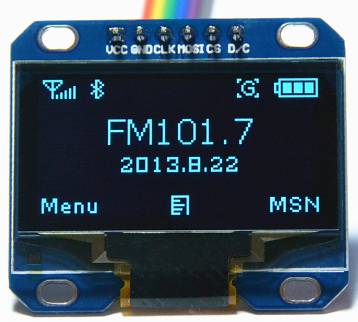
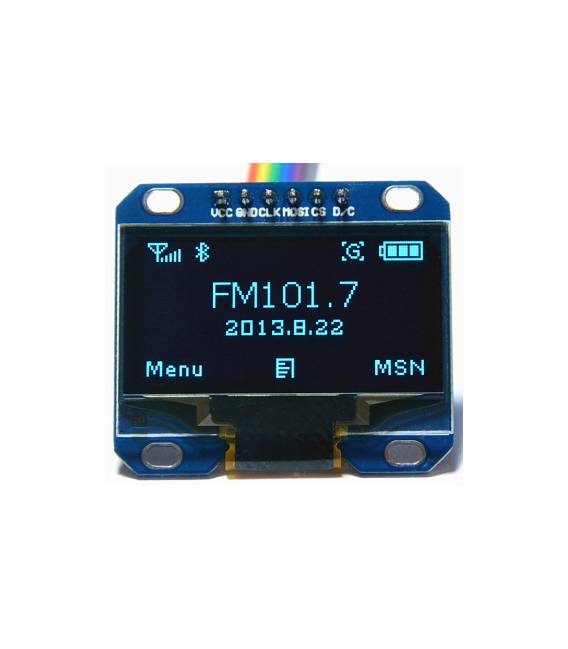
The LCD OLED 12864 SPI module is a 1.3″ graphic liquid crystal display that allows for the display of text and images in black and white. Communication occurs via SPI interface.
Features
- Display size: 1.3″
- Resolution: 128×64 pixels
- Technology: OLED
- Interface: SPI
- Pins: 6
- SKU: ARD0011145
- Price: 11.64 €
What it is for
The module is ideal for Arduino projects where it is necessary to display information clearly and visibly. For example, it can be used to create a digital clock, display temperature sensor data, or for the creation of graphical user interfaces.
Tutorial: How to use LCD OLED 12864 SPI Module
The LCD OLED 12864 SPI module is a graphic liquid crystal display that allows for the display of text and images on a black and white display. Ideal for Arduino projects where it is necessary to display information clearly and visibly.
What you need
- Arduino Uno or compatible
- USB cable for Arduino
- 6-pin connection cable
- Adafruit GFX and Adafruit SSD1306 library
Steps
- Connect the LCD OLED 12864 SPI module to the Arduino using a 6-pin cable
- Install the Adafruit GFX and Adafruit SSD1306 libraries through the Arduino IDE library manager
- Load a sample sketch to test the module’s functionality
- Configure the display using the appropriate library functions
- Display text and images on the screen
Example code
Adafruit_SSD1306 display(0x3C, 4, 5); // Configura il display

display.begin(SSD1306_WIDTH, SSD1306_HEIGHT); // Inizializza il display

display.display(); // Aggiorna il display
Mini project
Create a digital clock that displays the current time and date on the OLED 12864 SPI display. Use a DHT11 temperature sensor to show the current temperature.
Common mistakes
- Pin connection error
- Forgot to install necessary libraries
- Incorrect SPI bus setting
- Insufficient power supply issues
Recommended accessories
- Arduino Uno
- DHT11 temperature sensor
- 3.7V LiPo battery 1000mAh
- Protoboard
Frequently asked questions
Which libraries are necessary?
Adafruit GFX and Adafruit SSD1306
How does the module connect?
Use a 6-pin cable to connect the module pins to those of the Arduino
What information can the display show?
Texts, images, and pixel matrix characters



Reviews
There are no reviews yet.