 EN
 IT Italiano
 ES Español
 FR Français
 DE Deutsch
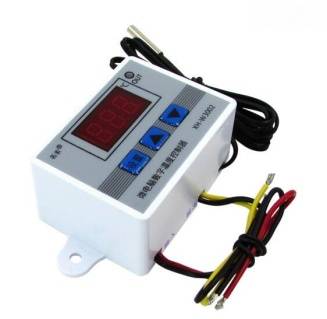
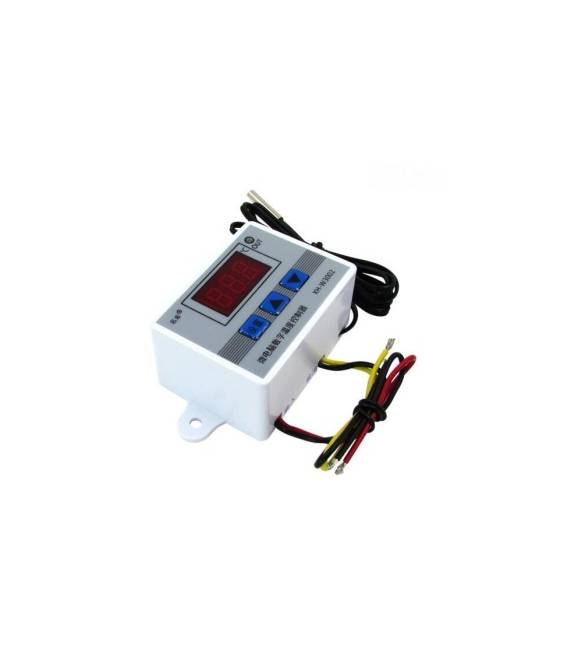
Description
What it is
The XH-W3002 is a digital temperature controller designed for temperature control in both industrial and domestic applications.
Features
- Operating Voltage: 12V / 24V / 220V
- Type: Digital Temperature Controller
- Model: XH-W3002
What it is for
The XH-W3002 can be used to create automatic heating systems in combination with a relay. It is ideal for anyone involved in thermal installations, allowing precise temperature control in various applications.
Tutorial: How to use XH-W3002
The digital temperature controller XH-W3002 is ideal for controlling temperature in both industrial and domestic applications. Useful for anyone involved in thermal installations.
What you need
- XH-W3002
- Thermal resistor
- Power cable (12V, 24V or 220V)
- Arduino or microcontroller
Steps
- 1. Check the power supply specification on the datasheet.
- 2. Connect the power cable to the VCC and GND pins of the temperature controller.
- 3. Connect the thermal resistor to the T+ and T- pins.
- 4. Connect the microcontroller to the GND of the thermostat.
- 5. Connect the OUT pin to the relay or the device to be controlled.
- 6. Load the provided Arduino code.
- 7. Set the desired temperature via the display.
- 8. Check the operation of the thermostat.
Example code
```cpp
#include <Wire.h>

void setup() {
  Serial.begin(9600);
  XH_W3002.begin();
}

void loop() {
  int temp = XH_W3002.readTemperature();
  Serial.print("Temperature: ");
  Serial.println(temp);
}
```
Mini project
Build an automatic heating system with XH-W3002 and a relay. In 30 minutes you can mount the circuit and control the temperature.
Common mistakes
- Incorrect power supply: make sure to use the correct voltage.
- Incorrect connections: check that the thermal resistor and the microcontroller are connected correctly.
- Temperature not set: check that the desired temperature has been set correctly.
- Arduino code not working: make sure the code has been loaded correctly.
Recommended accessories
- Relay
- Thermal resistor
- Arduino
- LCD display
Frequently asked questions
Does the temperature controller work with different voltages?
Yes, it supports 12V, 24V, and 220V. Check the datasheet for the power supply specification.
Can I use this temperature controller with Arduino?
Yes, connect the OUT pin to the relay or the device you want to control.
How do I set the desired temperature?
Use the display to set the desired temperature.



Reviews
There are no reviews yet.