 EN
 IT Italiano
 ES Español
 FR Français
 DE Deutsch
Description
What it is
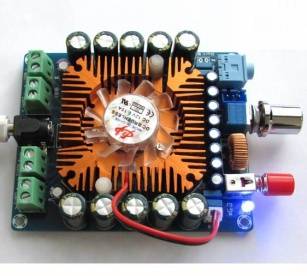
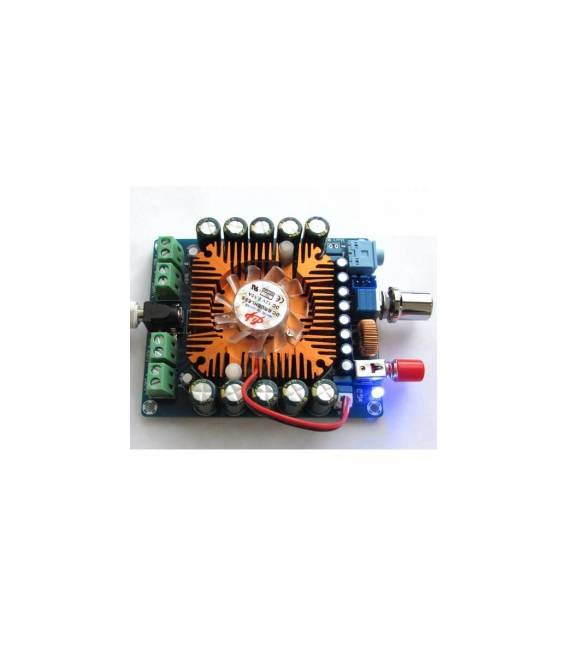
The XH-M521 is a four-channel power amplifier board that uses the TDA7850 chip.
Features
- 4 channel amplification
- TDA7850 chip
- 50W per channel power (check the datasheet)
What it is for
The XH-M521 power amplifier board is ideal for anyone who wants to amplify audio signals in multi-channel systems. With 50W of power per channel, it is suitable for audio projects such as home theater, multi-speaker systems, and more. It can be used to create a multi-channel speaker system with 4 separate channels, each powered by a single XH-M521, controlled by a single Arduino.
Tutorial: How to use XH-M521 TDA7850 Power Amplifier
The XH-M521 four-channel power amplifier is ideal for anyone who wants to amplify the audio signal in multi-channel systems. With 50W per channel power, it is perfect for audio projects such as home theater, multi-speaker systems, and more.
What you need
- Arduino Uno or compatible
- Audio connections
- External power supply 12V
- Jumper wire
- Pull-up resistors
Steps
- Connect the external power supply 12V to the VCC and GND pins of the amplifier.
- Connect the audio signals (IN+) and (IN-) to the audio pins of the amplifier.
- Connect the control pins (STBY, PLAY, VOLUME) to the digital pins of the Arduino.
- Write the Arduino sketch to control the volume and activation of the amplifier.
- Check the datasheet for the exact values of the pull-up resistors.
- Test the system with a test audio signal.
- Adjust the volume and standby mode through the Arduino software.
- Check the audio output through the external audio connectors.
Example code
void setup() {
  pinMode(PLAY, OUTPUT);
  pinMode(STBY, OUTPUT);
  pinMode(VOLUME, OUTPUT);
}

void loop() {
  digitalWrite(PLAY, HIGH);
  digitalWrite(STBY, HIGH);
  // Regolare il volume qui
}
Mini project
Create a multi-channel speaker system with 4 separate channels, each powered by an XH-M521, controlled by a single Arduino.
Common mistakes
- Do not verify the values of the pull-up resistors.
- Use an audio signal that is too weak.
- Do not connect the external power supply correctly.
- Do not test the system before installing it permanently.
Recommended accessories
- Variable resistors for volume control
- Audio sockets to connect speakers
- Command switch to activate and deactivate the amplifier
- LED indicator to signal activation
Frequently asked questions
What is the maximum power of the amplifier?
50W per channel, check the datasheet for the correct configuration.
Can I connect multiple amplifiers together?
Yes, but make sure to manage the audio signal distribution and power supply correctly.
How can I control the volume?
Use a potentiometer connected to the VOLUME pin and write the Arduino sketch to adjust the volume.



Reviews
There are no reviews yet.