 EN
 IT Italiano
 ES Español
 FR Français
 DE Deutsch
Description
What it is
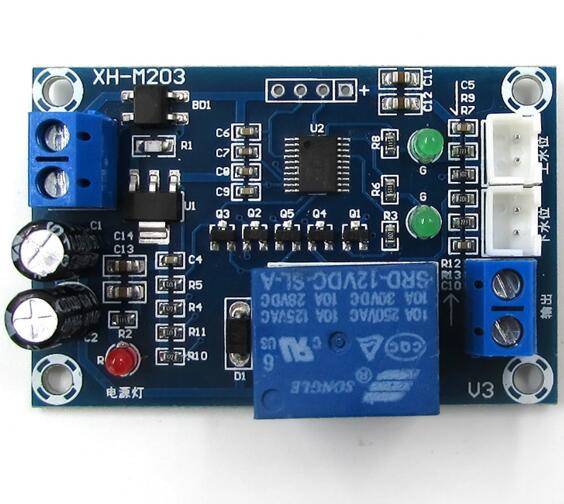
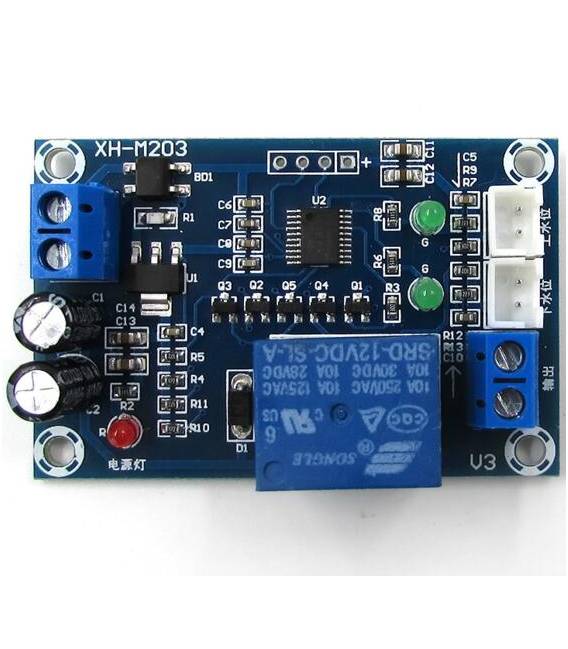
The XH-M203 is an automatic water level regulator, designed for precise liquid level control in various systems.
Features
- Operating Voltage: 12V
- Maximum Current: 10A
- Control Type: Automatic
What it is for
The XH-M203 is ideal for automatic irrigation systems, liquid level control in tanks, and similar applications. It can be used to build automatic irrigation systems, monitor liquid levels in water tanks, or manage other hydraulic systems. Compatibility with Arduino or ESP can be verified in the datasheet.
Tutorial: How to Use XH-M203
The XH-M203 is an automatic liquid level regulator ideal for irrigation systems and tanks. Useful for beginners and intermediate makers.
What you need
- XH-M203
- Arduino
- 10kΩ Resistor
- 12V Power Cable
- Liquid Level Sensors
Steps
- 1. Mount the XH-M203 on a protoboard.
- 2. Connect the VCC pin to 12V.
- 3. Connect GND to ground.
- 4. Connect the OUT pin to the relay or the device to be controlled.
- 5. Connect the SENSE pin to the level sensor.
- 6. Connect the 10kΩ resistor between VCC and SENSE.
- 7. Upload the code to Arduino.
- 8. Check if the device turns on/off correctly.
Example code
```void loop() {}```Mini project
Build an automatic irrigation system in 30 minutes using the XH-M203, a level sensor, and a relay.
Common mistakes
- Forget to connect the 10kΩ resistor between VCC and SENSE.
- Connect VCC to a different voltage than 12V.
- Forget to ground the device.
- Connect the OUT pin to a non-controlled device.
Recommended accessories
- Relay
- Level sensor
- Arduino
- 12V power cable
Frequently asked questions
The device does not turn on/off correctly.
Check the connection between SENSE and VCC, and verify if the level sensor is functioning correctly.
What are the power supply voltage limits?
Check the datasheet for power supply voltage limits.
Can I use this regulator with another type of liquid?
Check the datasheet for compatibility with other types of liquid.



Reviews
There are no reviews yet.