 EN
 IT Italiano
 ES Español
 FR Français
 DE Deutsch
Description
What it is
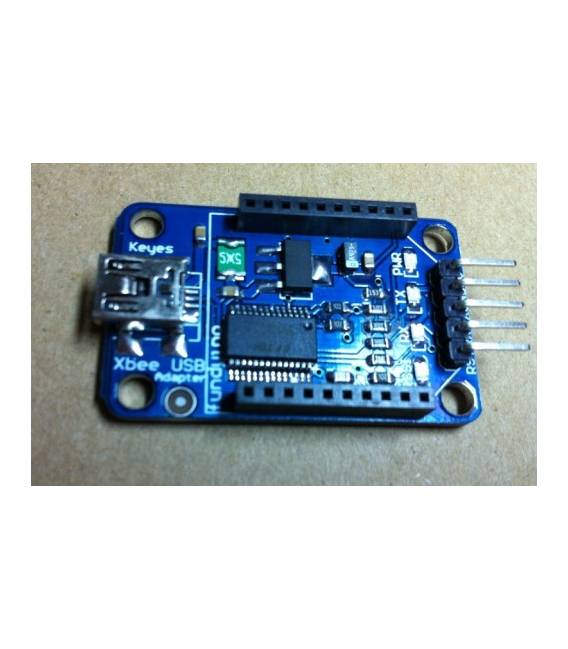
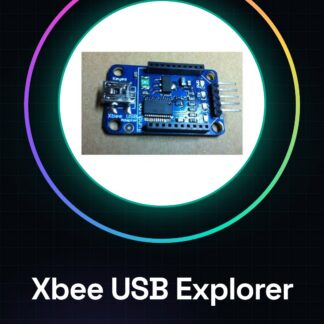
The Xbee USB Explorer is a module that facilitates the configuration and debugging of Xbee devices, allowing for easy connection of Xbee devices to an Arduino board or computer.
Features
- Facilitates the configuration and debugging of Xbee devices
- Allows for connecting Xbee devices to an Arduino board or computer via USB
What it is for
The module is useful for those working with wireless networks and wanting to test their Xbee modules. It can be used to create simple communication systems between two Xbee devices.
Tutorial: How to use Xbee USB Explorer
The Xbee USB Explorer is a module that allows for easy connection of Xbee devices to your Arduino board or computer. Useful for those working with wireless networks and wanting to test their Xbee modules.
What you need
- Xbee USB Explorer
- Arduino IDE
- USB Cable
- Xbee module (optional)
Steps
- 1. Download and install the Arduino IDE.
- 2. Connect the Xbee USB Explorer to your computer using the USB cable.
- 3. In the Arduino IDE, select ‘File’ > ‘Preferences’ and set ‘Board’ to ‘Arduino Uno’.
- 4. Select ‘Tools’ > ‘Port’ and find the serial port of your Xbee USB Explorer.
- 5. Load the example code ‘Xbee Examples’ > ‘Xbee USB Explorer’ > ‘Xbee USB Explorer Test’.
- 6. Check that the LED on the Xbee USB Explorer turns on.
- 7. Try to send data from your computer to the Xbee module (if present).
- 8. Check the datasheet for further configurations.
Example code
```void setup() { Serial.begin(9600);}void loop() {}```Mini project
Create a simple communication system between two Xbee devices using the Xbee USB Explorer as an interface.
Common mistakes
- Not selecting the correct serial port.
- Forgetting to install the Arduino IDE.
- Not having an Xbee module connected.
- Using an incompatible USB cable.
Recommended accessories
- Xbee module
- Arduino Uno
- USB cable
- Xbee software (optional)
Frequently asked questions
How can I connect to an Xbee module connected to the Xbee USB Explorer?
Configure your Xbee module with the same settings as the Xbee USB Explorer and connect both to your computer.
What communication speeds are supported?
Check the datasheet for supported communication speeds.
Does the Xbee USB Explorer work only with Arduino?
No, it works with any software that supports serial communication.
Can I use the Xbee USB Explorer with other Xbee modules?
Yes, but make sure the Xbee modules are configured correctly.
Reviews
There are no reviews yet.