 EN
 IT Italiano
 ES Español
 FR Français
 DE Deutsch
Description
What it is
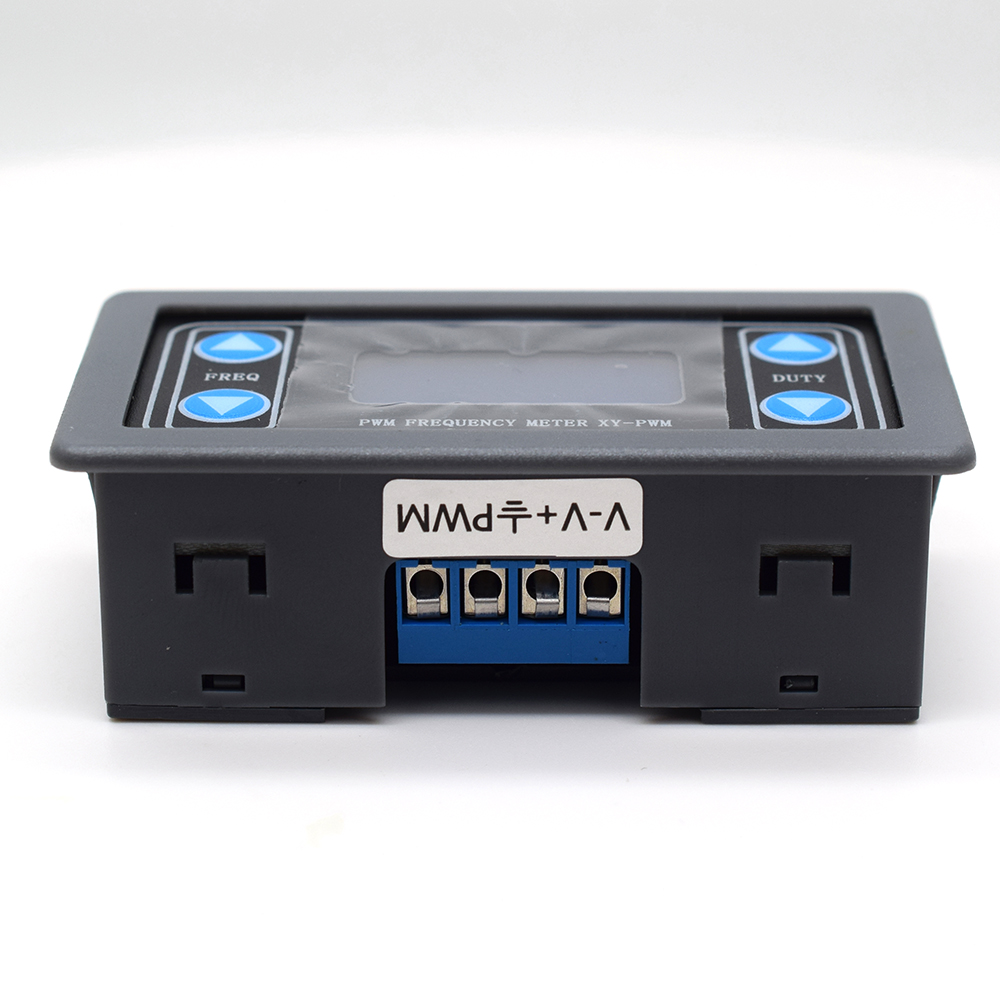
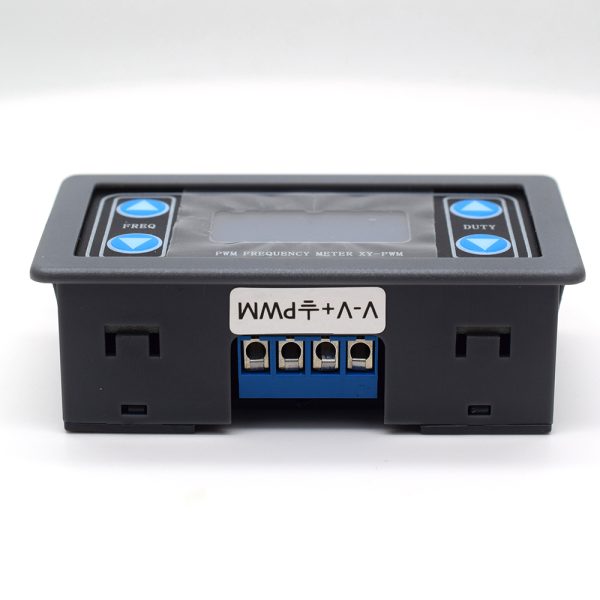
The WY PWM Frequency Generator is an electronic module designed to generate PWM (Pulse Width Modulation) signals with a wide range of frequencies from 1Hz to 150kHz. This device is ideal for Arduino and 3D printing projects, offering flexibility in motor control, variable lighting, and component testing applications.
Features
- Generation frequency from 1Hz to 150kHz
- Dual operation modes
What it is for
The WY PWM Frequency Generator is used for DC motor control projects, motor speed regulation through duty cycle variables, variable lighting control, and electronic component testing. It is compatible with Arduino and other microcontrollers.
Tutorial: How to use WY – PWM Frequency Generator
The WY – PWM Frequency Generator is a module useful for makers who want to generate PWM (Pulse Width Modulation) signals from 1 Hz to 150 kHz. This component is ideal for motor control projects, variable lighting, and component testing.
What you need
- Arduino Uno or compatible
- USB cable to connect Arduino to the computer
- External power supply for Arduino
- Arduino IDE software installed on the computer
Steps
- Connect the PWM Frequency Generator module to the Arduino control pins according to the module documentation.
- Check the module’s supply voltage (check on the datasheet) and connect the appropriate power supply.
- Open the Arduino IDE software and load the example sketch for the PWM Frequency Generator.
- Configure the Arduino control pin as PWM output.
- Set the desired frequency in the code (check the datasheet for frequency limits).
- Set the desired duty cycle in the code (check the datasheet for duty cycle limits).
- Upload the sketch to the Arduino microcontroller.
- Verify the operation of the PWM Frequency Generator module with an oscilloscope or a multimeter oscilloscope.
Example code
void setup() {
  pinMode(9, OUTPUT); // Configura il pin 9 come uscita PWM
}

void loop() {
  analogWrite(9, 128); // Imposta il duty cycle a 50%
}
Mini project
Create a DC motor control project with adjustable speed variables using the PWM Frequency Generator module. Configure the duty cycle to control the motor speed.
Common mistakes
- Do not verify the power supply voltage of the PWM Frequency Generator module.
- Set a frequency or duty cycle outside the limits specified in the datasheet.
- Do not correctly configure the Arduino control pin as a PWM output.
- Do not verify the operation of the PWM Frequency Generator module with measurement tools such as an oscilloscope.
Recommended accessories
- USB Oscilloscope
- DC Motors
- Voltage Regulator
- Multimeter Oscilloscope
Frequently asked questions
What is the minimum and maximum frequency I can generate with this module?
Check the datasheet for frequency limits.
How can I adjust the duty cycle?
Set the duty cycle in the Arduino code using the analogWrite() function.
What power supply is required for the module?
Check the module’s datasheet for the power supply voltage.
Reviews
There are no reviews yet.