 EN
 IT Italiano
 ES Español
 FR Français
 DE Deutsch
Description
What it is
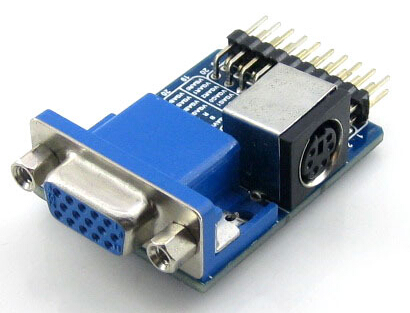
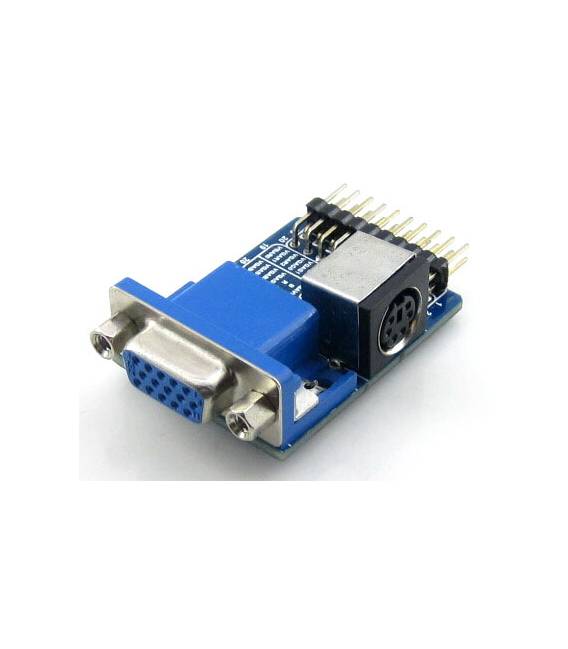
VGA PS2 Test Module with VGA + PS2 + Control Connector interface for testing VGA PS2 interfaces.
Features
- VGA Connector
- PS2 Connector
- Control Connector
- SKU: ARD009343
- Price: 7.46 €
What it is for
This module allows you to easily test and connect VGA and PS2 interfaces. Ideal for beginner and intermediate makers who want to create a simple test interface to display messages or test the proper functioning of VGA and PS2 interface boards.
Tutorial: How to Use VGA PS2 Board Accessory
This module allows you to easily test and connect VGA and PS2 interfaces, ideal for beginner and intermediate makers.
What you need
- PC or laptop with Arduino IDE
- Arduino board
- VGA cable
- PS2 cable
Steps
- 1. Download and install the Arduino IDE.
- 2. Connect the VGA PS2 Board Accessory module to your Arduino.
- 3. Connect the VGA cable to the module.
- 4. Connect the PS2 cable to the module.
- 5. Use a datasheet to verify the connection pins.
- 6. Load a sample sketch onto the Arduino.
- 7. Verify the connection with a VGA monitor and a PS2 keyboard.
- 8. Select the Arduino in the menu Tools > Board and Tools > Port.
Example code
void setup() {
  Serial.begin(9600);
}

void loop() {
  Serial.println("Test VGA PS2 Board");
}
Mini project
Create a simple test interface that displays a message when the module is correctly configured.
Common mistakes
- Do not verify the connection pins on the datasheet.
- Do not correctly select the Arduino in the menu Tools.
- Do not properly connect the VGA and PS2 cables.
- Do not use the Arduino IDE to upload the code.
Recommended accessories
- VGA cable
- PS2 cable
- VGA monitor
- PS2 keyboard
Frequently asked questions
How can I verify the connection?
Verify the connection with a VGA monitor and a PS2 keyboard.
Which pins do I use for the connection?
Verify the connection pins on the datasheet.
Can I use this module with any Arduino?
Check compatibility on the datasheet.
Reviews
There are no reviews yet.