 EN
 IT Italiano
 ES Español
 FR Français
 DE Deutsch
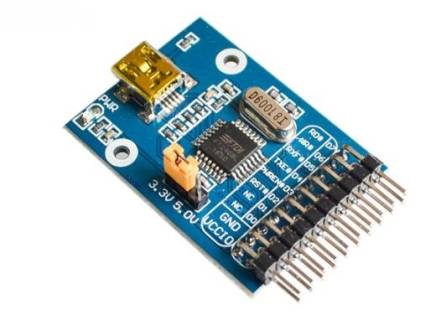
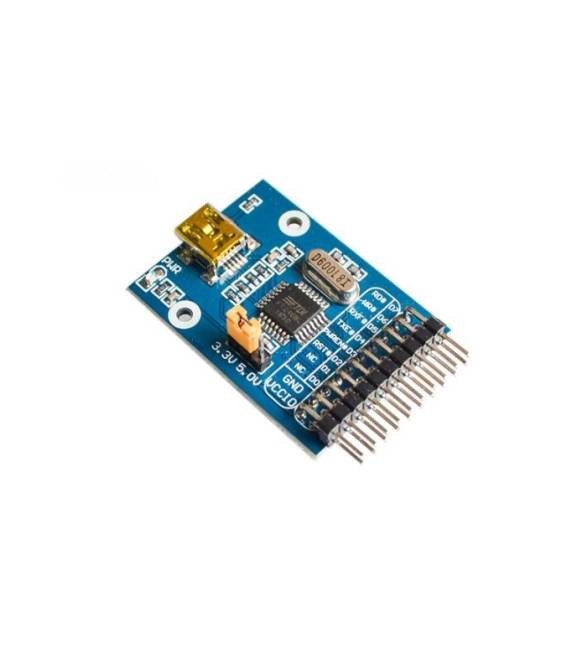
Description
What it is
The USB to FIFO FT234Bl FT2345 converter allows for fast and reliable serial connections for your electronic project. It converts USB signals to FIFO (First In First Out) signals, enabling the connection of electronic devices to a computer via USB.
Features
- USB to FIFO Converter
- Model: FT234Bl FT2345
- SKU: ARD0011296
- Price: 10.74 €
- Availability: Pre-order
What it is for
The FT234Bl FT2345 converter is ideal for serial communication projects, such as connecting sensors, actuators, or other electronic devices to a computer via USB. It can also be used for programming microcontrollers like Arduino.
Tutorial: How to Use FT234Bl FT2345 USB to FIFO
The FT234Bl FT2345 module allows you to easily connect electronic devices to a computer via USB, converting USB signals to FIFO (First In First Out) signals. This component is ideal for serial communication projects and for those starting with microcontroller programming.
What you need
- Arduino Uno or similar
- USB A-MicroB cable
- FT_Prog software for configuration
Steps
- Install the FTDI driver for the FT234Bl FT2345 module from the official website
- Connect the module to the computer via the USB cable
- Open the FT_Prog software and select the FT234Bl FT2345 device
- Configure the module settings according to your needs (check the datasheet)
- Save the settings and disconnect the module
- Connect the FT234Bl FT2345 module to the Arduino or electronic device
- Write an Arduino sketch to communicate with the module (see code below)
- Test the communication
Example code
void setup() {
  Serial.begin(9600);
}

void loop() {
  Serial.println("Messaggio di test");
}
Mini project
Create a remote monitoring system for a temperature sensor. Connect the FT234Bl FT2345 to the Arduino and to the sensor, then write a sketch that sends the sensor data to the computer via USB.
Common mistakes
- Module configuration error
- Incorrect serial settings
- Drivers not installed correctly
- Damaged or improperly connected connectors
Recommended accessories
- DS18B20 Temperature Sensor
- 16×2 LCD Display
- 5V Relay Module
- Buzzer
Frequently asked questions
Does the FT234Bl FT2345 module support bidirectional communication?
Yes, the module supports bidirectional communication, but check the specifications on the datasheet for correct configuration.
Can I use the FT234Bl FT2345 module with Raspberry Pi?
Yes, the module is compatible with Raspberry Pi and other Linux systems, but specific drivers may need to be installed.



Reviews
There are no reviews yet.