 EN
 IT Italiano
 ES Español
 FR Français
 DE Deutsch
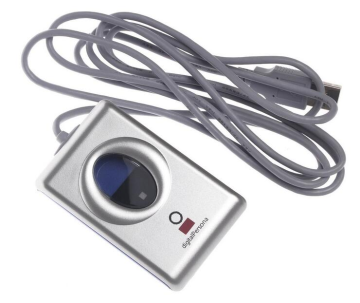
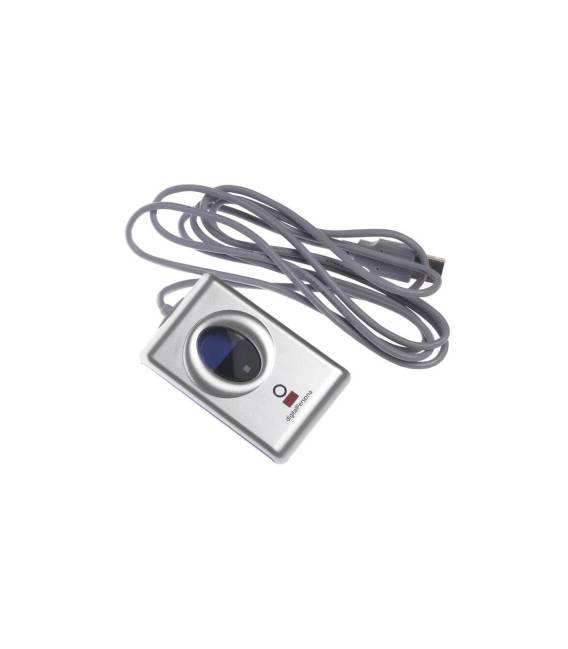
Description
What it is
The URU4000B is a USB fingerprint reader designed for fingerprint reading and identification. This device offers a simple and effective solution for implementing biometric security systems in various types of projects, such as access controls or user authentications.
Features
- USB Fingerprint Reader
- Ideally suited for projects on Arduino and Raspberry Pi
What it is for
The URU4000B can be used to create fingerprint-based access systems, such as a security system for lockers or rooms. It is suitable for both beginners and intermediate users and offers a solid foundation for biometric security projects.
Tutorial: How to use URU4000B
The URU4000B is a USB fingerprint reader ideal for security and user identification projects. Suitable for beginners and intermediates.
What you need
- URU4000B
- Arduino or Raspberry Pi
- USB cable
- PC or laptop
Steps
- 1. Download the driver from the official website.
- 2. Connect the URU4000B to your PC/Laptop via USB cable.
- 3. Install the driver on the PC.
- 4. Start the fingerprint management software.
- 5. Register your fingerprints.
- 6. Connect the URU4000B to your Arduino/Raspberry Pi.
- 7. Check the datasheet for GPIO specifications.
- 8. Configure the code to read fingerprints.
Mini project
Create a fingerprint-based access system for a cabinet or room.
Common mistakes
- Do not install the correct drivers.
- Connect the device to an unsupported device.
- Omit code configuration.
- Do not verify GPIO specifications before connecting.
Recommended accessories
- Arduino Uno
- Raspberry Pi 4
- Fingerprint management software
- Demo cabinet for the project
Frequently asked questions
The device does not recognize fingerprints.
Check the drivers and software configuration.
Which GPIO specifications are required?
Check the datasheet.
Can I use this device with a Raspberry Pi?
Yes, follow the Raspberry Pi instructions.
Reviews
There are no reviews yet.