 EN
 IT Italiano
 ES Español
 FR Français
 DE Deutsch
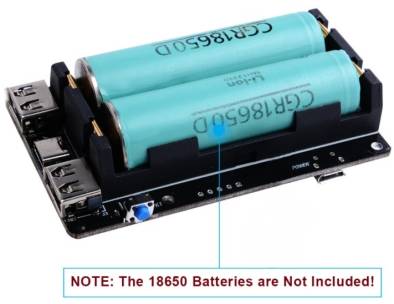
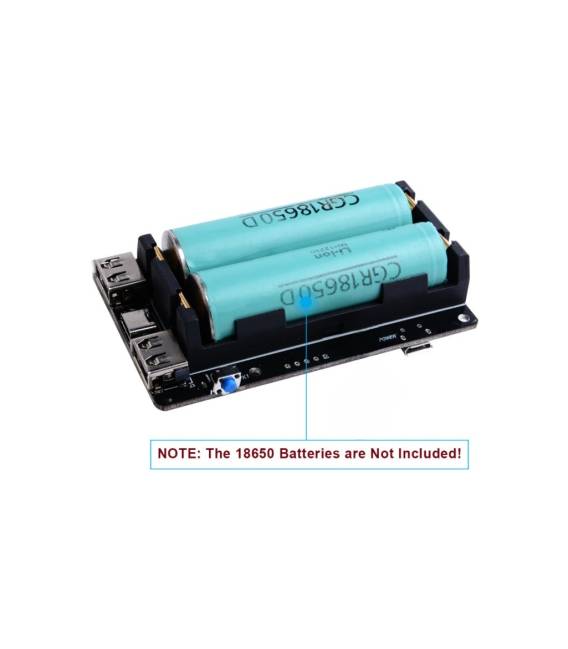
Description
What it is
The UPS power expansion board is an expansion board designed to provide continuous 5V power supply to devices such as the Raspberry Pi 3B, 3B+, and 4B, ensuring greater power security and stability.
Features
- Provides continuous 5V power supply
- Compatible with Raspberry Pi 3B, 3B+, 4B
- Ideally designed to protect devices during network outages
What it is for
The UPS board is ideal for projects requiring high reliability, such as web servers, monitoring systems, and other applications that require a stable and continuous power source. The setup takes approximately 30 minutes and does not require advanced electronics knowledge.
Tutorial: How to use the UPS expansion board
The UPS expansion board provides continuous 5V power supply for Raspberry Pi 3B, 3B+, and 4B, ensuring your device stays on during network outages. Ideal for projects requiring high reliability.
What you need
- Raspberry Pi 3B, 3B+, or 4B
- USB connection
- Backup battery
- Network connection
Steps
- Connect the UPS expansion board to the Raspberry Pi via the USB port
- Connect the backup battery to the UPS board
- Check the network connection for the Raspberry Pi
- Configure the Raspberry Pi to use the backup battery
- Check the power supply voltage through the debug terminals of the UPS board
- Test the activation of the backup battery during a network outage
- Install any UPS management software
- Verify the UPS functionality during a network outage test
Mini project
30-Minute Project: Set up a Raspberry Pi 4B with the UPS card to keep a web server online during a network outage.
Common mistakes
- Do not verify battery compatibility with the UPS card
- Do not configure the Raspberry Pi to use the backup battery
- Do not test the UPS during a simulated network outage
- Do not install UPS management software
Recommended accessories
- Backup battery 5V
- USB port with network cable
- Raspberry Pi 4B
- UPS management software
Frequently asked questions
What is the backup battery’s duration?
Check the battery’s datasheet.
How can I configure the Raspberry Pi to use the UPS?
Follow the product documentation for configuration.
Does the UPS card support other platforms besides Raspberry Pi?
Check the product’s datasheet.



Reviews
There are no reviews yet.