 EN
 IT Italiano
 ES Español
 FR Français
 DE Deutsch
Description
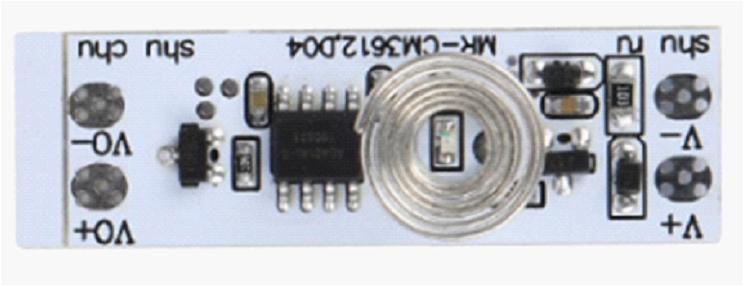
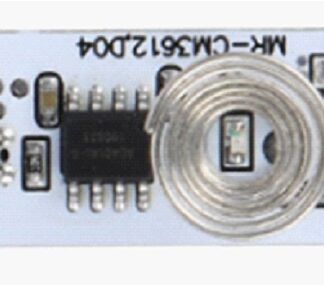
Tutorial: How to Use the Universal Tactile Switch Module DC5-24V
This universal tactile switch module is ideal for basic electronics projects and user interactions. It is suitable for beginners and intermediates who want to create touch-sensitive interfaces.
What you need
- Arduino
- Jumper wire
- Battery
Steps
- Connect the module to the Arduino using jumper wires.
- Check the module’s power supply voltage (DC5-24V) and adapt it to your power source.
- Connect the module’s output to a digital pin on the Arduino.
- Write an Arduino sketch to read the state of the tactile switch.
- Test the tactile switch by pressing its surface.
- Adjust any parameters such as sensitivity (check the datasheet).
- Design a small prototype that uses the tactile switch to activate a function.
- Test the prototype to ensure it works correctly.
Example code
const int tactPin = 2; // Collega l'interruttore tattile al pin 2
int tactState = 0;

void setup() {
  pinMode(tactPin, INPUT);
}

void loop() {
  tactState = digitalRead(tactPin);
  if (tactState == HIGH) {
    Serial.println("Tasto premuto");
  }
}
Mini project
Create a simple glowing clock that turns on when you touch the tactile switch. Use an LED connected to an Arduino output pin.
Common mistakes
- Do not check the power supply voltage of the module.
- Connect the tactile switch to an analog pin instead of a digital pin.
- Do not adjust the sensitivity of the tactile switch.
- Use the wrong jumper cable for the connection.
Recommended accessories
- RGB LED
- Breadboard
- Variable resistors
- USB power supply
Frequently asked questions
Where can I find the datasheet?
The datasheet should be available on the manufacturer’s website or the retailer’s website.
Can it be used with Raspberry Pi?
Yes, but you will need to adapt the connection and the sketch in Python or C++.
What is the maximum detection distance?
Check the datasheet for this information.
Reviews
There are no reviews yet.