 EN
 IT Italiano
 ES Español
 FR Français
 DE Deutsch
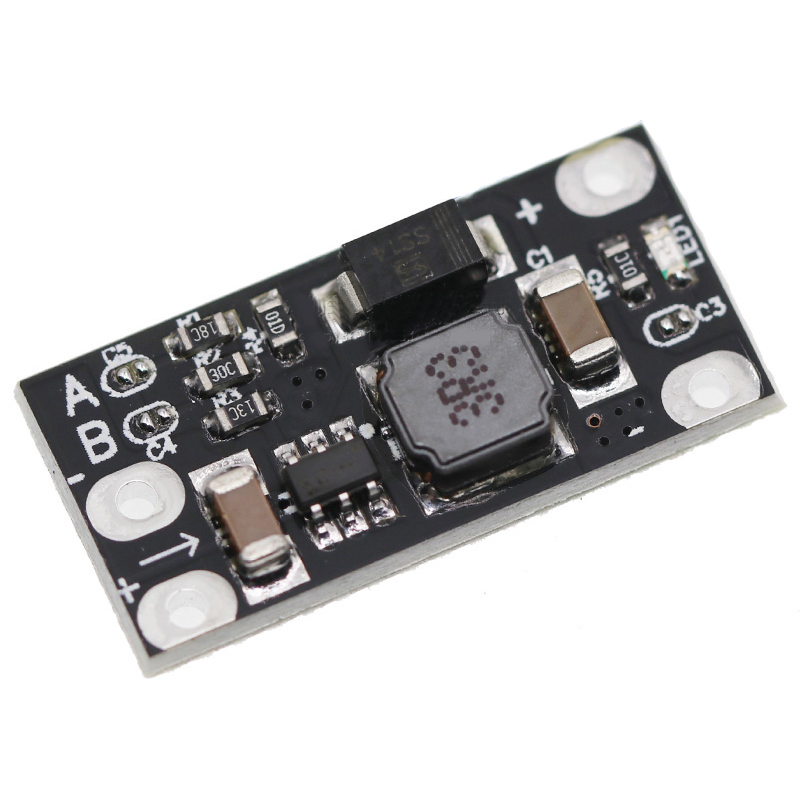
Description
Tutorial: How to Use the Mini Boost Step Up Module
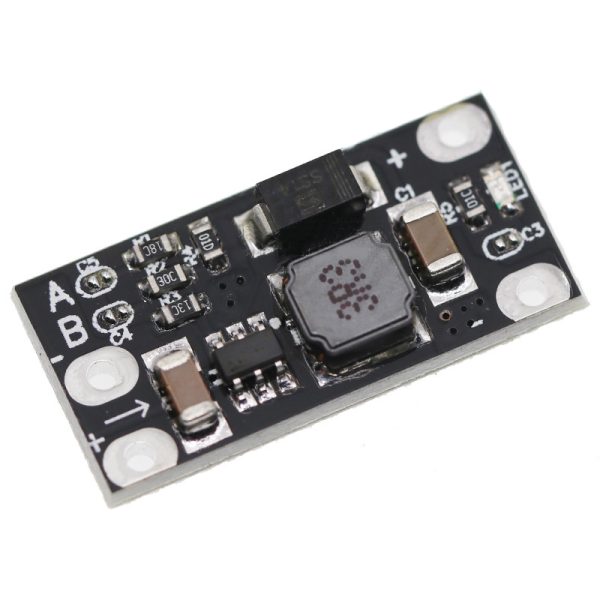
The Mini Boost module is a fundamental component for Arduino projects that require an output voltage higher than the input voltage. Ideal for beginner and intermediate makers who want to power sensors or other devices with different voltages.
What you need
- Arduino Uno or compatible
- USB connection to power Arduino
- Jumper wire
- Battery connection
Steps
- Connect the battery to the Mini Boost module
- Connect the Mini Boost module to Arduino using jumper wires
- Configure Arduino to read the output voltage
- Adjust the Mini Boost module output to 5V, 8V, 9V, or 12V
- Check that the LED indicator is on
- Test the functionality with a simple sketch
Example code
void setup() {
  Serial.begin(9600);
}

void loop() {
  int outVoltage = analogRead(A0);
  float vOut = (outVoltage * 5.0) / 1024.0;
  Serial.print("Voltage: ");
  Serial.println(vOut);
}
Mini project
Create an LED lighting system controlled by Arduino and powered by a battery, regulated by a Mini Boost module to maintain a constant voltage.
Common mistakes
- Do not check the output voltage
- Do not connect the battery correctly
- Do not configure Arduino correctly to read the voltage
- Do not adjust the output of the module correctly
Recommended accessories
- 3.7V LiPo battery
- Arduino Uno
- Jumper wire set
- LED set
Frequently asked questions
What is the minimum output voltage?
Check the module’s datasheet.
How to adjust the output?
Use jumpers to select the desired voltage.
Can it power devices with high consumption?
Check the datasheet for maximum power.
Reviews
There are no reviews yet.