 EN
EN IT Italiano
 ES Español
 FR Français
 DE Deutsch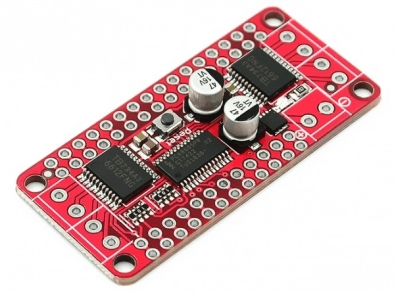
Description
What it is
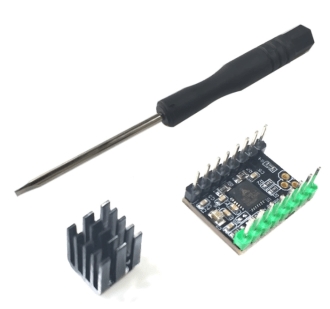
The Stepper Motor DC PCA9685 + driver TB6612 is an electronic component that allows precise control of a DC stepper motor’s movement. The kit includes both the TB6612 driver and the PCA9685 controller.
Features
- Motors Driver: TB6612
- Controller: PCA9685
- Power Supply: check the datasheet
- Output Current: check the datasheet
- Output Voltage: check the datasheet
What it is for
This kit is ideal for motor control projects in the Arduino environment. It can be used to create precise movement systems in robots, mechanical prototypes, and other electronic devices. Its compatibility with Arduino makes it a popular choice for makers and electronics enthusiasts.
Tutorial: How to use Stepper Motor DC PCA9685 + Driver TB6612
The DC PCA9685 Stepper Motor Driver with TB6612 driver is an ideal component for Arduino motor control projects. This kit is perfect for beginners and intermediates who want to control stepper motors with precision and ease.
What you need
- Arduino Uno
- Stepper Motors
- USB Cable
- Breadboard
Steps
- Connect the stepper motor to the TB6612 driver according to the motor datasheet.
- Connect the TB6612 driver to the PCA9685 via the control pins defined in the datasheet.
- Connect the PCA9685 to the Arduino via the I2C communication pins (SDA and SCL).
- Install the Adafruit_PCA9685 library through the Arduino IDE library manager.
- Configure the PCA9685 with the Adafruit_PCA9685 code.
- Program the stepper motor to move forward and backward.
- Test the stepper motor to verify correct operation.
- Optimize the code to regulate the motor speed and direction.
Example code
void setup() {
  // Inizializza il PCA9685
  pca9685.begin();
  pca9685.setPWMFreq(50);
}

void loop() {
  // Comandi per il movimento del motore
  pca9685.setPWM(0, 0, 30000);
  delay(1000);
  pca9685.setPWM(0, 0, 0);
  delay(1000);
}
Mini project
Create a basic movement system for a robot prototype using the DC Step-Step Motor PCA9685 + driver TB6612. The robot will move forward and backward.
Common mistakes
- Do not verify the correct configuration of the PCA9685.
- Do not correctly connect the step motor pins to the TB6612 driver.
- Do not install the necessary library for the PCA9685.
- Do not test the step motor before integrating it into the project.
Recommended accessories
- Arduino Uno
- Step Motor 28BYJ-48
- USB cable for Arduino
- Breadboard
Frequently asked questions
What is the operating frequency of the PCA9685?
Check the PCA9685 datasheet.
How can I control the motor speed?
Adjust the PWM value in the Arduino code.
Which libraries are needed to use the PCA9685?
The Adafruit_PCA9685 library is the most common and can be installed through the Arduino IDE library manager.
Reviews
There are no reviews yet.