 EN
 IT Italiano
 ES Español
 FR Français
 DE Deutsch
Description
What it is
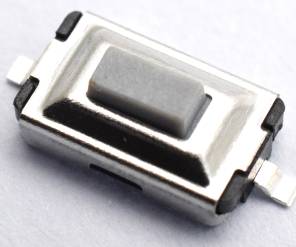
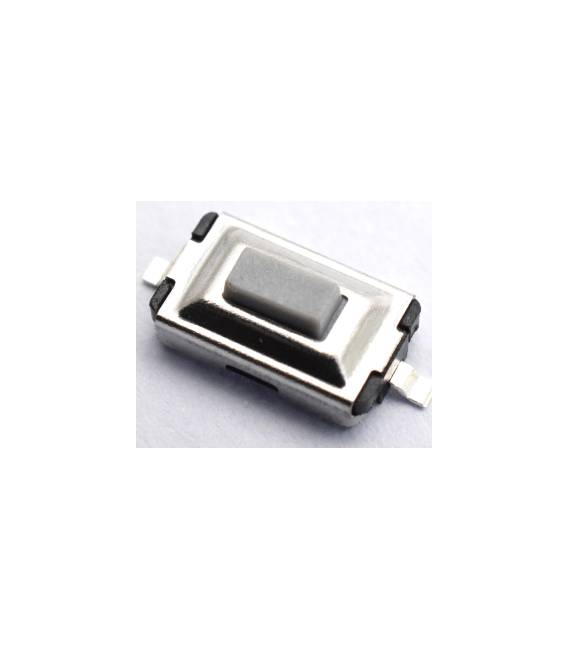
This kit contains 20 tactile SMD push buttons in a rectangular shape, with dimensions 3x6x2.5mm and white color. They are equipped with 2 pins for connecting to electronic circuits.
Features
- 20 tactile SMD push buttons
- Dimensions: 3x6x2.5mm
- Color: white
- 2 pins
What it is for
Ideal for Arduino projects and electronic circuits, these tactile SMD push buttons are suitable for creating simple user interfaces and adding interactivity to projects. They can be used, for example, to create LED switches, turn devices on/off, or send commands to a microcontroller.
Tutorial: How to Use Tactile SMD Push Button Kit
These tactile SMD push buttons are ideal for simple user interface projects. Suitable for beginners and those who want to add interactivity to their projects.
What you need
- Tactile SMD Push Button Kit 3x6x2.5mm
- Multimeter
- Pliers
- Insulated tubing for wires
Steps
- 1. Check that the kit contains 20 tactile SMD push buttons.
- 2. Read the specifications carefully in the datasheet.
- 3. Select a project that requires a tactile button.
- 4. Prepare the circuit on a breadboard or a perfect protoboard.
- 5. Connect a tactile button to an input pin of the microcontroller.
- 6. Use pliers to position the buttons.
- 7. Connect the button pins to the circuit.
- 8. Test the circuit with a multimeter to ensure good contact.
Mini project
Build a simple interrupter for an LED. In 30 minutes you can connect a button to an Arduino and make an LED blink.
Common mistakes
- Connect a button directly to a VCC pin without pull-up or pull-down resistor.
- Omit the circuit test before uploading the code.
- Do not use insulation for the wires.
- Do not read the specifications carefully in the datasheet.
Recommended accessories
- Arduino
- LED
- Pull-up/pull-down resistor
- Perfect protoboard
Frequently asked questions
How can I protect tactile buttons from potential damage?
Use insulated tubing for the wires and ensure that the contacts are clean.
Can I use these buttons with a microcontroller other than Arduino?
Yes, these buttons can be used with any microcontroller.
How long is the lifespan of these buttons?
Check the datasheet for precise information.
How can I test the buttons before connecting them?
Use a multimeter to check the contacts and resistance.



Reviews
There are no reviews yet.