 EN
 IT Italiano
 ES Español
 FR Français
 DE Deutsch
Description
What it is
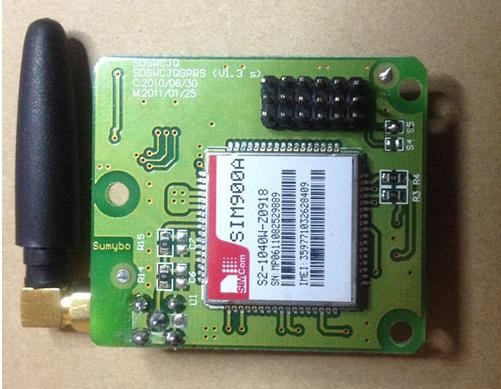
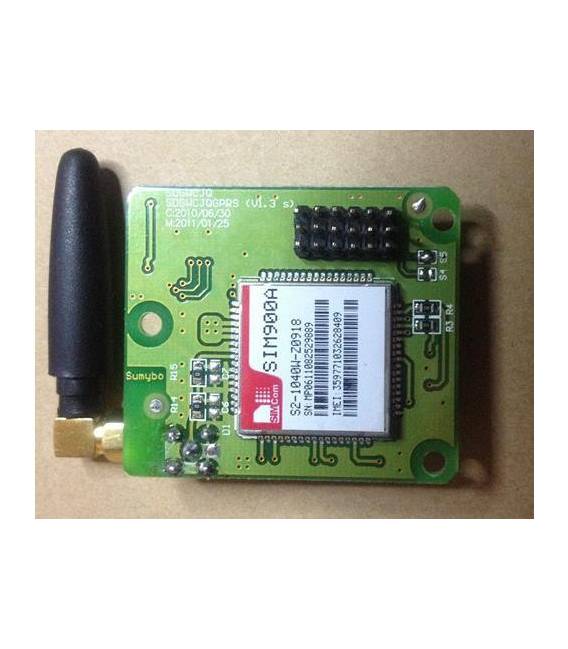
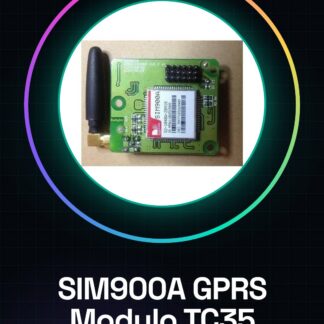
The SIM900A GPRS TC35 module is a component for Arduino that allows integrating cellular communication into projects. This module offers GSM/GPRS functionality, enabling SMS sending and internet connectivity through a cellular network.
Features
- Supports GPRS protocol for mobile data connections
- Allows SMS sending
- Compatible with Arduino and other microcontrollers
What it is for
SIM900A modules are useful for creating telemetry projects, remote monitoring systems, and alarm systems. For example, you can connect a motion detector to the module and send SMS notifications when the system is triggered.
Tutorial: How to use SIM900A GPRS TC35 module
The SIM900A GPRS TC35 module is a crucial component for creating wireless communication projects. This GSM/GPRS module allows you to send SMS and connect to the internet via a cellular network, making it perfect for both beginners and experienced makers.
What you need
- Arduino Uno or compatible
- Active SIM card with GPRS data
- Connection to PC via USB
Steps
- 1. Connect the TX and RX pins of the module to those of the Arduino shield.
- 2. Connect VCC and GND between the module and the Arduino power supply.
- 3. Configure serial communication in Arduino IDE (baud rate 9600).
- 4. Insert an active SIM card into the module cavity.
- 5. Download the necessary drivers for USB to TTL communication.
- 6. Load the example sketch provided with the module onto the Arduino.
- 7. Open Serial Monitor in Arduino IDE and send a test SMS command.
- 8. Verify that the MSIM responds correctly to received commands.
Example code
void setup() {
  Serial.begin(9600);
}

void loop() {
  if (Serial.available()) {
    String command = Serial.readStringUntil('r');
    // Esegui il comando e invia la risposta
  }
}
Mini project
Create an alarm system that sends SMS when triggered. Connect a motion detector to the SIM900A module and write a sketch to handle notifications.
Common mistakes
- The module does not respond: check the serial configuration.
- Incorrect connection with the PC: check the USB to TTL drivers.
- Network issues: ensure the SIM is active and has GPRS data.
- SMS commands do not work: re-read the module documentation.
Recommended accessories
- Arduino Uno
- SIM cards with GPRS data
- USB TTL cable
- 3.7V LiPo battery
Frequently asked questions
What baud rates should I use?
Check the module’s datasheet for the correct value.
How can I check if the SIM is recognized?
Send an AT+CIMI command and verify that the SIM’s IMEI is returned.
Reviews
There are no reviews yet.