 EN
 IT Italiano
 ES Español
 FR Français
 DE Deutsch
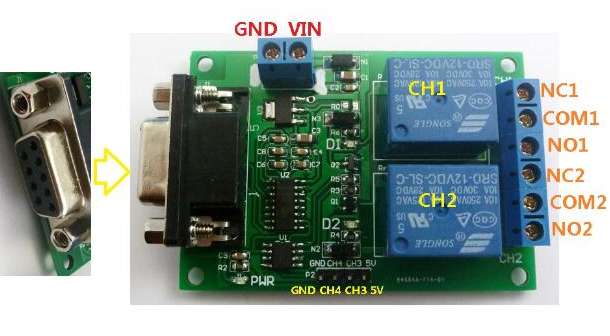
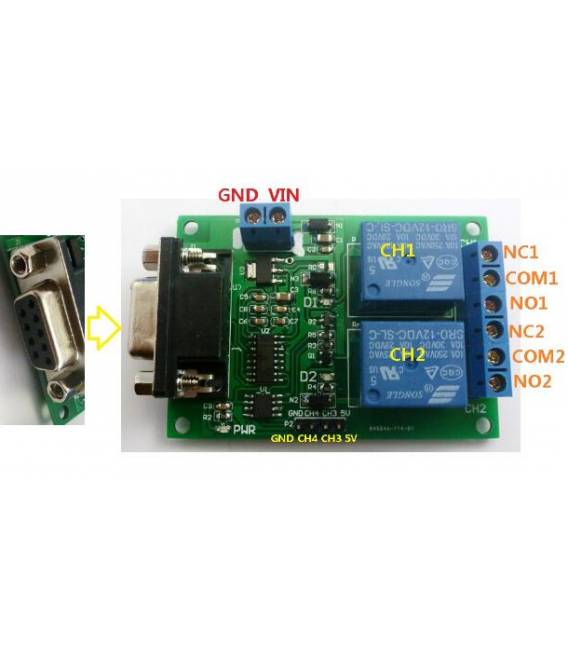
Description
What it is
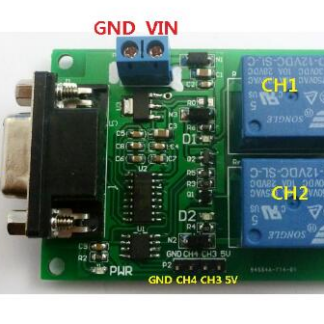
The RS232 Serial 2 Way Relay Module with DB9 is an electronic device that allows controlling two electrical devices via an RS232 serial signal. It can be connected to a computer or a microcontroller like Arduino to automate functions.
Features
- 2 way control
- RS232 serial interface
- DB9 connector
What it is for
The module is ideal for home automation, allowing to control devices such as lights, appliances or motors from a distance. It can be used with Arduino and other microcontrollers compatible with the RS232 interface to create custom control systems.
Tutorial: How to use the RS232 Serial 2 Way Relay Module
The RS232 Serial 2 Way Relay Module is ideal for controlling electrical devices from a remote distance via a computer or an Arduino microcontroller. Useful for beginners and intermediates in home automation.
What you need
- Arduino or compatible microcontroller
- DB9 cable
- Power supply (5V-24V)
- Relay characteristics (check the datasheet)
Steps
- 1. Connect the relay module to the Arduino or microcontroller using the DB9 cable.
- 2. Connect the relay to the circuit to be controlled via the input and output pins.
- 3. Power the relay module with the compatible power supply.
- 4. Load the example Arduino code onto your microcontroller.
- 5. Verify that the relay activates correctly with serial commands.
- 6. Configure the relay for remote control via software or script.
- 7. Test the system with various commands to ensure it works correctly.
- 8. Install the module in a secure and stable location.
Example code
```
void setup() {
  Serial.begin(9600);
  pinMode(relePin, OUTPUT);
}

void loop() {
  if (Serial.available()) {
    int command = Serial.parseInt();
    if (command == 1) {
      digitalWrite(relePin, HIGH);
    } else if (command == 0) {
      digitalWrite(relePin, LOW);
    }
  }
}
```
Mini project
Create a remote lighting system. Connect the relay to a lamp and control it via a computer or an Arduino.
Common mistakes
- Do not verify the compatibility of the relay with the power supply.
- Connect the relay to the microcontroller without isolation.
- Omit the functionality tests.
- Do not follow the safety instructions on the datasheet.
Recommended accessories
- Arduino Nano
- DB9 Cable
- Light Bulb
- 12V Power Supply
Frequently asked questions
How can I verify the power supply compatibility?
Check the minimum and maximum power supply values on the relay datasheet.
What commands can I send to control the relay?
Send 1 to activate and 0 to deactivate the relay via serial.
Can you use the relay with a Raspberry Pi?
Yes, but make sure the power supply is compatible.
Reviews
There are no reviews yet.