 EN
 IT Italiano
 ES Español
 FR Français
 DE Deutsch
Description
What it is
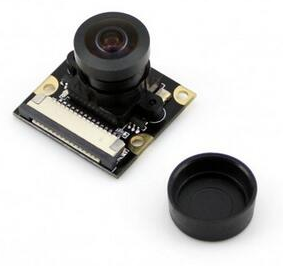
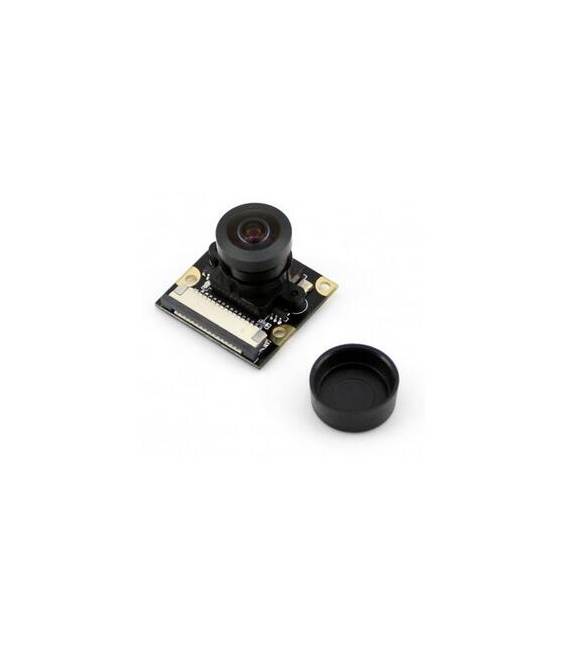
The RPi Fisheye Camera is a device designed for use with Raspberry Pi, offering a widely extended panoramic view thanks to its fisheye lens.
Features
- RPi Camera compatible with Raspberry Pi
- Fisheye lens for wide field of view
What it is for
Ideally suited for artificial vision projects, monitoring, and creative applications. Can be used to take panoramic photos regularly and save the files on a MicroSD.
Tutorial: How to use RPi Camera (G)
The fisheye camera for Raspberry Pi is ideal for artificial vision projects and panoramic monitoring. Suitable for beginners and intermediate users.
What you need
- RPi Camera (G)
- Raspberry Pi
- MicroSD for photo saving
- Electric cables
Steps
- 1. Check the datasheet for camera specifications.
- 2. Mount the fisheye camera on the Raspberry Pi following the manufacturer’s instructions.
- 3. Connect to the Raspberry Pi via SSH or graphical interface.
- 4. Install the camera driver with the command `sudo apt-get install picamera`.
- 5. Create a configuration file for the camera with `sudo nano /boot/config.txt` and add `start_x=1`.
- 6. Reboot the Raspberry Pi with `sudo reboot`.
- 7. Try taking a photo with `raspistill`.
- 8. Install a photo management application like `gpicview` with `sudo apt-get install gpicview`.
Mini project
Configure the camera to take panoramic photos every 5 minutes and save to MicroSD.
Common mistakes
- Omit installing the necessary drivers.
- Fail to configure `config.txt` correctly.
- Incorrectly connect the camera.
- Use an incompatible Raspberry Pi.
Recommended accessories
- 8GB MicroSD
- MicroSD read/write
- HDMI cable
- USB cable
Frequently asked questions
How can I verify if the camera is properly connected?
Start `raspistill` and check if there is an output.
What are the minimum requirements for the Raspberry Pi?
Any Raspberry Pi should work.
Can I use this camera with a Raspberry Pi Zero?
The Raspberry Pi Zero might not be compatible, check the datasheet.
Can I use a MicroSD other than 8GB?
Yes, but make sure it is compatible with the Raspberry Pi.
Reviews
There are no reviews yet.