 EN
 IT Italiano
 ES Español
 FR Français
 DE Deutsch
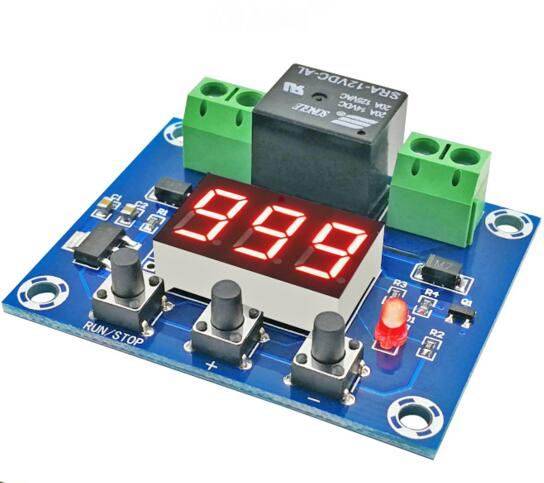
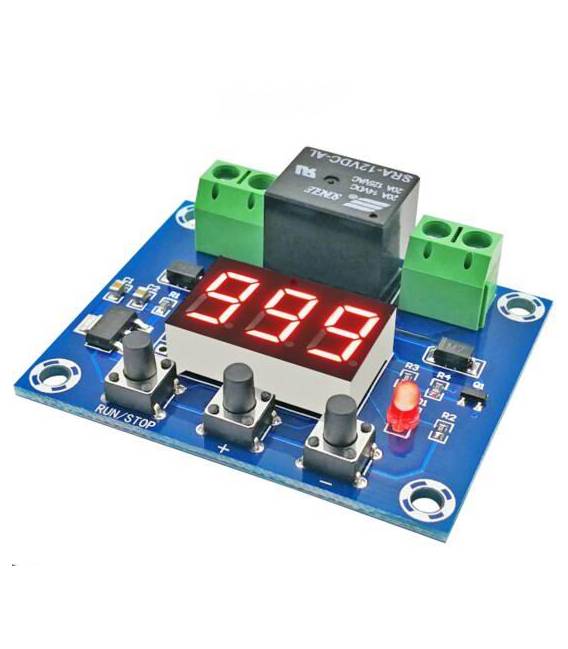
Description
What it is
The XH-M663 board is a timer module for countdown counters. It can be used to create precise timers in Arduino and electronics projects.
Features
- Timer module for countdown counters
- Compatible with Arduino (check the datasheet)
- SKU: ARD0011333
- Price: 7.23 €
- Availability: Pre-order
What it is for
The XH-M663 timer module can be used to create timed alarm systems by connecting it to a relay. It is ideal for electronic automation projects that require timed functions.
Tutorial: How to use XH-M663 Timer Module
The XH-M663 timer module is an essential tool for electronic automation projects. It allows you to set countdown counters and precise timers, ideal for beginners and makers who want to add timed functions to their projects.
What you need
- Arduino Uno
- USB cable
- Header connections
Steps
- Connect the XH-M663 Timer module to the Arduino Uno via the header connectors.
- Open the Arduino IDE and load the example sketch.
- Configure the countdown timer in the code.
- Verify the correct setup of the timer through the serial monitor.
- Modify the sketch to fit the project requirements.
Example code
void setup() {
  Serial.begin(9600);
}

void loop() {
  // Imposta il tempo di conto alla rovescia nel formato HH:MM:SS
  timer.setCountdown("00:01:00");
  timer.start();
  while(timer.isRunning()) {
    Serial.println(timer.getTimeLeft());
    delay(1000);
  }
}
Mini project
Create a timed alarm system: connect the XH-M663 Timer module to a relay and adapt the sketch to activate the alarm after a certain period of time.
Common mistakes
- Set the countdown timer incorrectly.
- Do not verify the correct configuration of the timer.
- Use an unsuitable electrical power source.
- Do not properly connect the XH-M663 Timer module to the Arduino Uno.
Recommended accessories
- 5V relay
- Buzzer
- RGB LED
- LiPo battery
Frequently asked questions
How can I configure the XH-M663 Timer module?
Configure the countdown timer in the Arduino code and verify the correct setting through the serial monitor.
What projects can be made with the Timer module XH-M663?
Security alarm systems, aquarium pump timers, or any project that requires an accurate timer can be created.



Reviews
There are no reviews yet.