 EN
 IT Italiano
 ES Español
 FR Français
 DE Deutsch
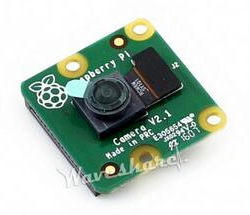
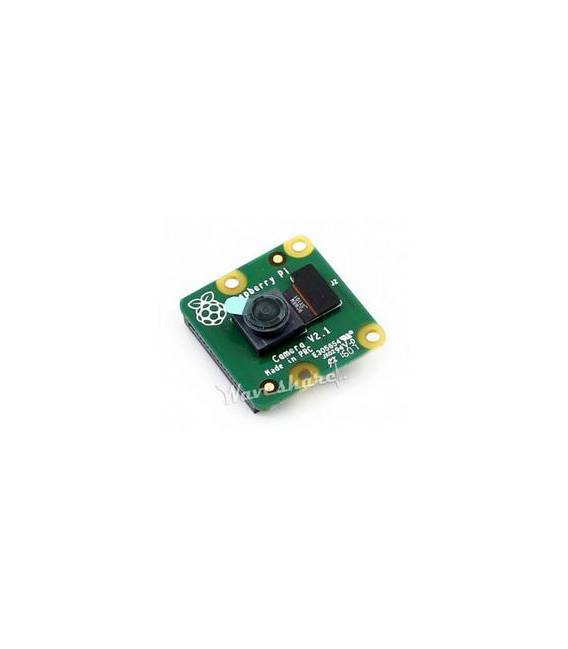
Description
What it is
The Raspberry Pi Camera V2 is a high-definition device designed to be used with Raspberry Pi single-board computers. This camera allows for HD image and video capture, making it ideal for applications requiring artificial vision or remote monitoring.
Features
- Compatible with Raspberry Pi models
- Video resolution 1080p at 30 fps and 720p at 60 fps
- Support for JPEG and BMP
What it is for
The main uses of the Raspberry Pi Camera V2 include creating remote monitoring systems, artificial vision projects, and visual interaction applications. It is useful for both beginners and expert developers.
Tutorial: How to use Raspberry Pi Camera V2
The Raspberry Pi Camera V2 is ideal for video capture and remote monitoring projects. Useful for beginners and visual interaction projects.
What you need
- Raspberry Pi V2 or V3
- MicroSD with Raspberry Pi operating system
- MicroUSB cable for power supply
- HDMI cable for display
- Calibration software (check the datasheet)
Steps
- 1. Ensure the Raspberry Pi is powered correctly.
- 2. Connect the Raspberry Pi Camera V2 to the Raspberry Pi via the microUSB cable.
- 3. Start the Raspberry Pi operating system.
- 4. Open the terminal and type `raspistill` to take a photo.
- 5. For video, type `raspivid -t 10000` to record 10 seconds.
- 6. Configure resolution and other settings with `raspistill -o foto.jpg -w 1024 -h 768`.
- 7. Calibrate the camera using the provided software (check the datasheet).
- 8. Connect the Raspberry Pi Camera V2 via HDMI cable to view the output.
Mini project
Create a simple remote monitoring system using the Raspberry Pi Camera V2 and remote camera software.
Common mistakes
- Forget correct power supply.
- Set up the photo/video resolution and other options correctly.
- Do not calibrate the camera.
- Do not use the provided calibration software.
Recommended accessories
- MicroSD card for Raspberry Pi
- HDMI cable
- Remote camera software
- Tripod for stabilization
Frequently asked questions
Does the Raspberry Pi V2 Camera work with all Raspberry Pi models?
No, it works with Raspberry Pi V2 and V3.
What resolutions are supported by the Raspberry Pi V2 Camera?
Check the datasheet for supported resolutions.
Can I use the Raspberry Pi V2 Camera with other Linux distributions?
Check the datasheet for compatibility with other distributions.
How can I calibrate the Raspberry Pi V2 Camera?
Follow the instructions provided in the calibration software (check the datasheet).
Reviews
There are no reviews yet.