 EN
 IT Italiano
 ES Español
 FR Français
 DE Deutsch
Description
What it is
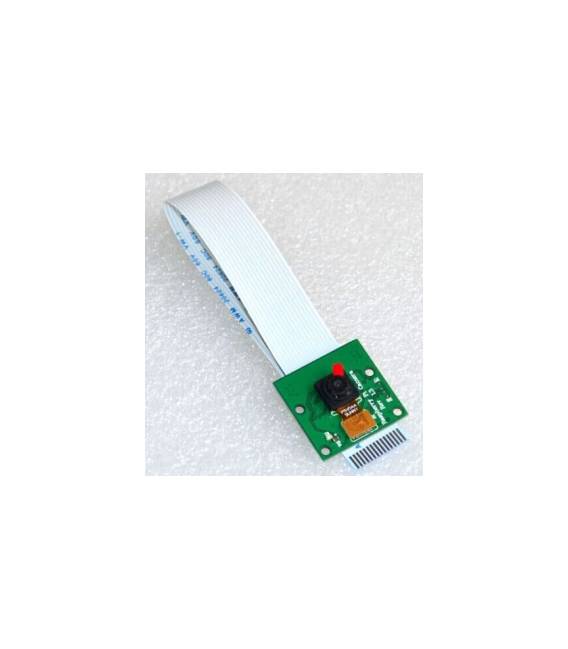
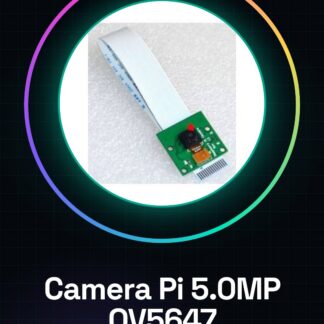
The Raspberry Pi 5.0MP Camera Module with OV5647 sensor is a crucial component for HD photography and video applications on Raspberry Pi.
Features
- Resolution: 5 megapixels
- Sensor: OV5647
What it is for
Ideal for video capture and photography projects, this camera module is useful for both beginners and intermediates. It can be used to create a simple surveillance system by integrating the Raspberry Pi Camera with a cloud storage service.
Tutorial: How to use Raspberry Pi Camera 5.0MP
The Raspberry Pi Camera 5.0MP is ideal for video capture and photography projects. It is useful for both beginners and intermediates.
What you need
- Raspberry Pi 4 or later version
- Micro-USB power cable
- MicroSD with Raspberry Pi operating system
- Slightly larger MicroSD to save photos/videos
- HDMI cable for display
Steps
- 1. Ensure that the Raspberry Pi is up to date.
- 2. Connect the Raspberry Pi Camera to the Raspberry Pi using the dedicated connector.
- 3. Connect the Raspberry Pi to a monitor or TV using an HDMI cable.
- 4. Start the Raspberry Pi.
- 5. Open the terminal and type `raspistill` for photo capture.
- 6. For video, type `raspivid`.
- 7. Try different parameters such as resolution and frame rate.
- 8. Save the files in a specific folder.
Example code
raspistill -o foto.jpgMini project
Create a simple surveillance system using the Raspberry Pi Camera and a cloud storage service.
Common mistakes
- Forget to install the necessary libraries.
- Connect the camera to the Raspberry Pi incorrectly.
- Not having enough space on MicroSD.
- Using unsupported parameters.
Recommended accessories
- MicroSD Card 32GB
- HDMI Cable
- Tripod
- Photo/Video Management Software
Frequently asked questions
How can I view photos/videos taken by the Raspberry Pi Camera?
Use an SD card reader or mount the file system on a computer to view the files.
What are the main parameters to use with raspistill and raspivid?
Use `raspistill -o foto.jpg -t 5000 -ISO 800` for photos and `raspivid -o video.h264 -t 5000` for videos.
Can I use the Raspberry Pi Camera with previous versions of Raspberry Pi?
The Raspberry Pi Camera is compatible only with Raspberry Pi 4 or later versions.
How can I improve the quality of my photos?
Increase the ISO and use a tripod to reduce camera shake.
Reviews
There are no reviews yet.