 EN
 IT Italiano
 ES Español
 FR Français
 DE Deutsch
Description
What it is
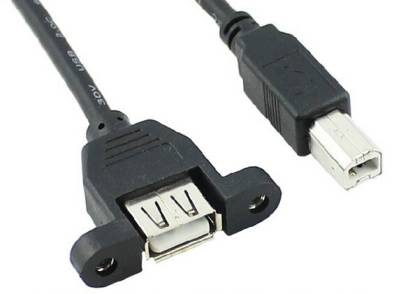
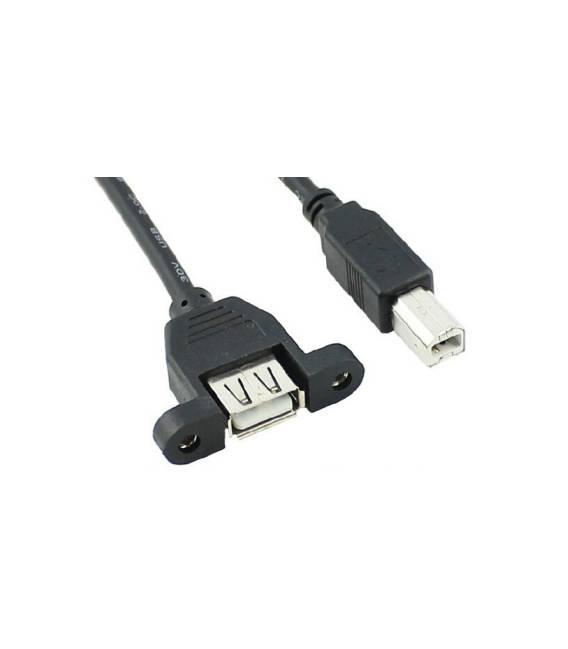
The USB Panel Mount F/M Cable is a USB connector used for mounting electronic devices on panels. This cable allows you to connect your Arduino projects directly to a panel, making it ideal for applications that require easy accessibility and maintenance.
Features
- Panel Mount USB F/M Cable
What it is for
Ideal for connecting Arduino or similar devices to a computer through a panel. Useful for both beginners and experts, it is essential for programming and powering projects. Check the datasheet for additional technical specifications.
Tutorial: How to Use USB F/M Cable
The USB F/M cable is essential for powering your Arduino projects and connecting them to a computer. Useful for beginners and intermediates, it is crucial for programming and powering.
What you need
- USB F/M Cable
- Arduino or device with USB port
Steps
- 1. Remove the USB F/M cable from its packaging.
- 2. Identify the connectors: F for female and M for male.
- 3. Connect the F end of the cable to the Arduino power supply panel.
- 4. Connect the M end of the cable to a USB port on a computer.
- 5. Turn on the Arduino.
- 6. Check the datasheet for the current power requirement of the Arduino.
- 7. Connect the programming cable if necessary.
- 8. Verify proper operation with a sample sketch.
Mini project
Create a simple LED signal with a sample sketch.
Common mistakes
- Connect the F end to the power supply panel.
- Skip checking the current power requirement.
- Fail to correctly connect the USB cable.
- Ignore the verification of operation.
Recommended accessories
- Arduino
- Led
- Resistor
- Multimeter
Frequently asked questions
How can I verify the current power requirement?
Check the Arduino datasheet or measure with a multimeter.
Can I use this cable to connect multiple devices?
Check the maximum current rating on the datasheet.
Is the cable compatible with all types of Arduino?
Check the compatibility on the product datasheet.



Reviews
There are no reviews yet.