 EN
 IT Italiano
 ES Español
 FR Français
 DE Deutsch
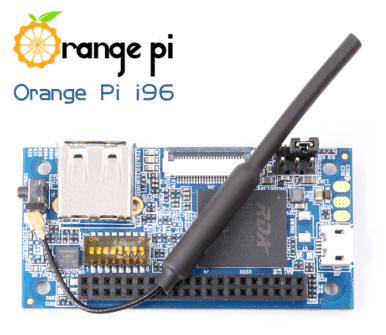
Description
What it is
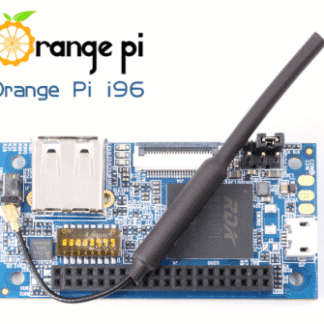
Orange PI i96 RDA 256MB is a small computer based on a quad-core 64-bit processor. It is designed for makers and those who want to start programming and creating electronic projects.
Features
- Quad-core 64-bit processor
- 256MB of RAM
- SKU: ARD0011731
- Price: 56.35 €
What it is for
The Orange PI i96 RDA 256MB can be used to create local web servers with Python, simple web applications, and to read data from sensors like DHT11. It is not compatible with Arduino or ESP.
Tutorial: How to use Orange PI i96 RDA 256MB
The Orange PI i96 RDA 256MB is a small computer based on Raspberry Pi that offers a powerful quad-core 64-bit CPU. Ideal for beginners and makers who want to explore programming and creating electronic projects.
What you need
- Orange PI i96 RDA 256MB
- USB power supply
- MicroSD card with installed operating system
- Wi-Fi or Ethernet connection
- Monitor with HDMI connector
- Keyboard and mouse
Steps
- Check that the microSD card contains an installed operating system, such as Armbian.
- Connect the HDMI monitor to the Orange PI i96 RDA.
- Connect the keyboard and mouse via USB.
- Connect the USB power supply to the Raspberry Pi.
- Access the operating system and verify Wi-Fi or Ethernet connectivity.
- Install any system operating updates.
- Explore the operating system features and install additional software such as Python or Node.js.
- Configure the Orange PI for your specific projects.
Mini project
Create a local web server with Python. Use Flask to create a simple web application that displays local temperatures read from a DHT11 sensor.
Common mistakes
- Ensure that the microSD card contains a functioning operating system.
- Verify that the HDMI monitor is correctly connected.
- Configure Wi-Fi or Ethernet network correctly.
- Install and configure the necessary software packages for projects correctly.
Recommended accessories
- MicroSD with pre-installed operating system
- Protective case
- DHT11 sensor
- Ethernet connection
Frequently asked questions
How can I access the operating system?
Connect the HDMI monitor, keyboard, and mouse, then power on the Raspberry Pi. Log in with the default credentials or those you configured during installation.
What updates should I install?
Install all available operating system updates to ensure security and the latest features.
How can I access remotely?
Configure the operating system for remote access via SSH or VNC.
Reviews
There are no reviews yet.