 EN
 IT Italiano
 ES Español
 FR Français
 DE Deutsch
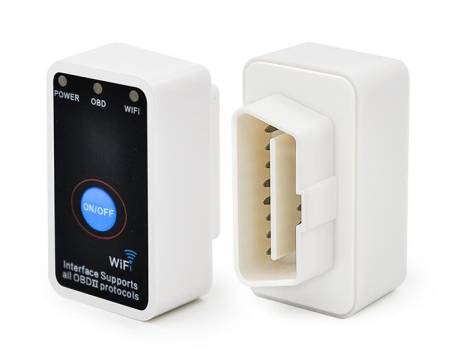
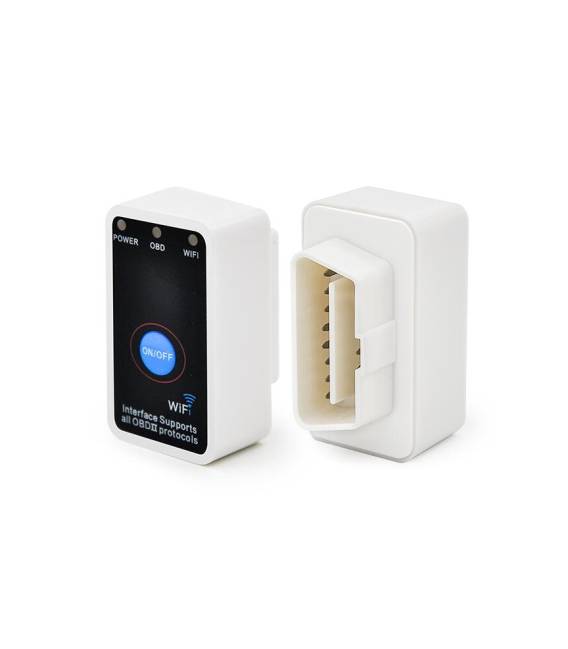
Description
What it is
The OBD2 ELM327 Wi-Fi V2.1 Diagnostic Interface is a device that allows reading diagnostic data from a vehicle via a Wi-Fi connection. It can be used with smartphones or computers to monitor the vehicle’s status in real-time.
Features
- OBD2 Standard
- Wi-Fi Connection
- Version V2.1
- SKU: ARD0011271
- Price: 21.88 €
- Category: Pre-order
What it is for
The interface can be used for:
- Monitoring the vehicle’s status in real-time.
- Creating home automation projects with data from the car (e.g., reading speed and temperature).
- Developing applications for vehicle diagnostics and monitoring.
Compatibility with Arduino and ESP is not specified in the product.
Tutorial: How to use OBD2 ELM327 Wi-Fi V2.1 Diagnostic Interface
The OBD2 ELM327 Wi-Fi V2.1 Diagnostic Interface allows you to access your vehicle’s diagnostic data using a smartphone or computer. Ideal for those who want to monitor their vehicle’s status or for developers working on home automation projects.
What you need
- Vehicle with OBD2 connector
- Smartphone or computer with compatible software
- OBD2 connection cable
- Wi-Fi connection
Steps
- 1. Check the datasheet for the Wi-Fi module specifications.
- 2. Connect the OBD2 cable to the vehicle connector.
- 3. Connect the OBD2 cable to the ELM327 interface.
- 4. Check the datasheet to see if the module supports the Wi-Fi protocol.
- 5. Configure Wi-Fi on the ELM327 module.
- 6. Download and install the compatible software on your smartphone or computer.
- 7. Connect the Wi-Fi module to the ELM327 interface.
- 8. Start the software and select the ELM327 interface.
Mini project
Create a simple Arduino sketch to read the car’s speed and temperature data:
“`cpp
#include
SoftwareSerial mySerial(10, 11); // RX, TX
void setup() {
mySerial.begin(38400);
}
void loop() {
if (mySerial.available()) {
Serial.print(mySerial.readString());
}
}
“`
Common mistakes
- Forget to configure Wi-Fi on the ELM327 module.
- Using an OBD2 cable of a different brand, potentially incompatible.
- Not selecting the correct ELM327 interface in the software.
- Not having a compatible software with the OBD2 protocol.
Recommended accessories
- Arduino Nano
- 16×2 LCD Display
- 3.7V LiPo Battery
- USB A-to-mini-B Cable
Frequently asked questions
Which vehicles support OBD2?
Check the ELM327 module datasheet.
How can I verify if the vehicle has an OBD2 connector?
Check the list of supported vehicles on the datasheet.
Does the module support all vehicles?
Check the datasheet to see if the module supports your vehicle.



Reviews
There are no reviews yet.