 EN
 IT Italiano
 ES Español
 FR Français
 DE Deutsch
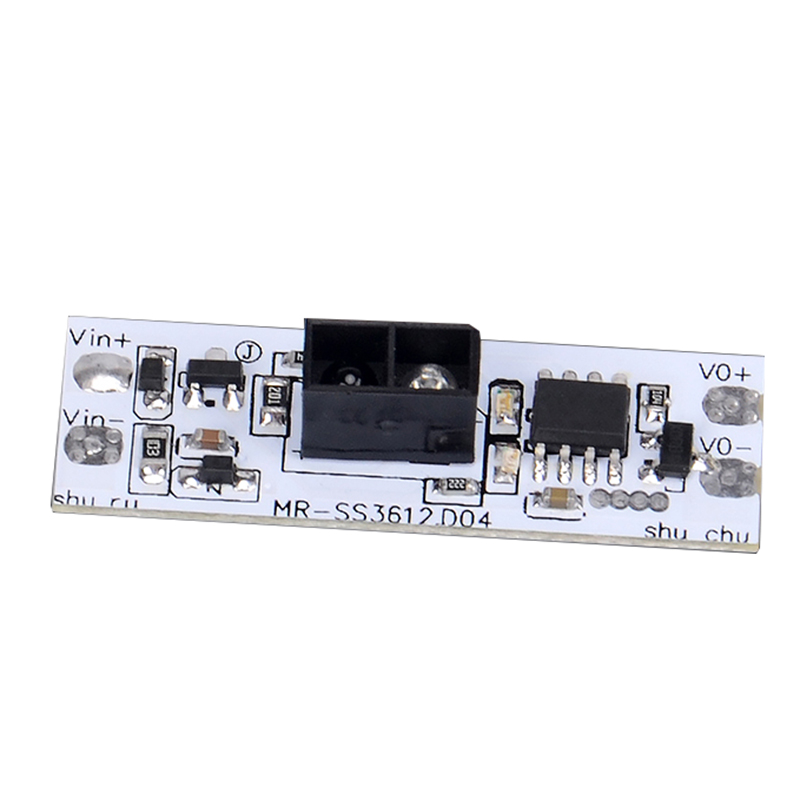
Description
Tutorial: How to Use the MR-SS3612 Switch Sensor Module
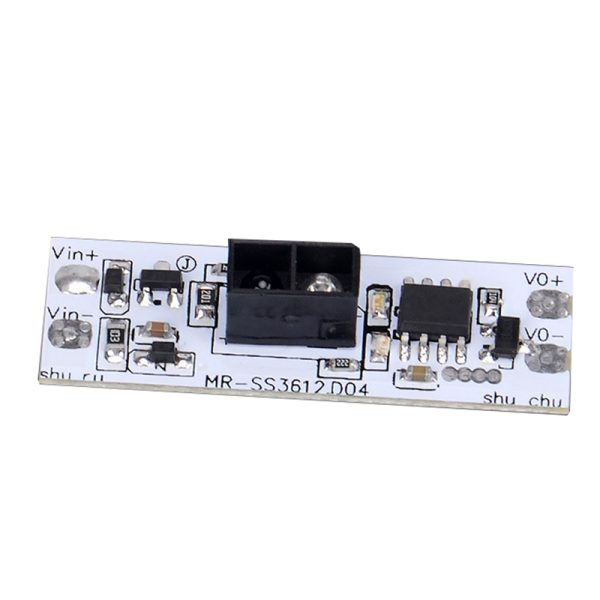
The MR-SS3612 module is a universal manual scan sensor that can detect the presence of objects through manual scanning. It is ideal for home and laboratory electronics projects, suitable for both beginners and experienced makers.
What you need
- Arduino or compatible microcontroller
- Connection cable
- DC5-24V power supply
- Objects to test the sensor with
Steps
- Connect the module to the microcontroller using the connection cables.
- Power the module with a DC5-24V power supply.
- Write and upload the Arduino sketch to read data from the sensor.
- Configure the microcontroller’s input pin to receive signals from the sensor.
- Test the sensor with objects of various sizes and materials.
- Verify the correct functioning of the sensor by modifying the sketch according to the project requirements.
Example code
void setup() {
  Serial.begin(9600);
  pinMode(A0, INPUT);
}

void loop() {
  int sensorValue = analogRead(A0);
  Serial.println(sensorValue);
}
Mini project
Create a home security system that alerts when an object is introduced into a specific area.
Common mistakes
- Incorrect power supply.
- Input pins not configured correctly.
- Electrical interference that disrupts sensor reading.
- Sketch configuration not optimized for project requirements.
Recommended accessories
- Arduino Uno
- 12V Power Supply
- USB Cable for Arduino
- Various types of sensors for comparison
Frequently asked questions
What is the operating voltage of the sensor?
Operating voltage ranges from DC5V to DC24V. Check the datasheet for precise specifications.
How can I increase the sensitivity of the sensor?
Modify the sketch to reduce the threshold value for sensor reading.
Can the sensor detect objects through transparent materials?
Check the datasheet for specifications on sensor detection properties.


Reviews
There are no reviews yet.