 EN
 IT Italiano
 ES Español
 FR Français
 DE Deutsch
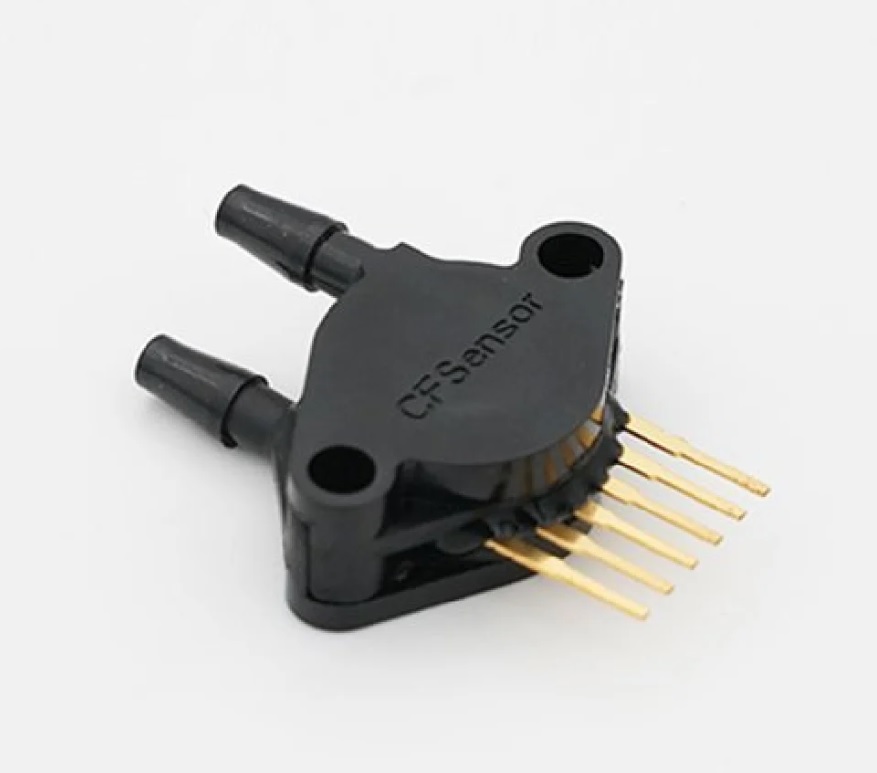
Description
What it is
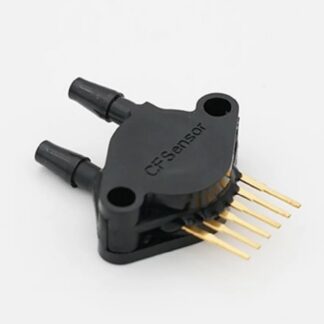
The MPX 5500DP pressure sensor is an electronic device designed to measure pressure in a range of 0 to 500 kPa. This sensor is particularly suitable for Arduino and general electronics projects that require atmospheric or hydraulic pressure measurement.
Features
- Measurement Range: 0 – 500 kPa
- Output: 9 mV/kPa
What it is for
The MPX 5500DP sensor can be used to create pressure monitoring systems in various contexts, such as measuring hydraulic pressure in a water tank. It is compatible with Arduino and other microcontrollers for data collection and processing of pressure data.
Tutorial: How to Use MPX 5500DP Sensor
The MPX 5500DP sensor is a perfect component for projects requiring atmospheric or hydraulic pressure measurement. Ideal for beginner and intermediate makers who want to add pressure monitoring functionality to their devices.
What you need
- Arduino Uno or compatible
- USB cable
- Breadboard
- Jumper wires
- Arduino IDE software
Steps
- Install Arduino IDE software on the computer
- Connect the Arduino to the computer via USB
- Upload the example sketch to the Arduino
- Connect the MPX 5500DP sensor to the breadboard
- Connect the sensor MPX 5500DP pins to the Arduino pins (check the datasheet)
- Open the Serial Monitor in Arduino IDE
- Read the pressure values received from the sensor
- Calibrate the sensor based on usage conditions
Example code
void setup() {
  Serial.begin(9600);
}

void loop() {
  int val = analogRead(A0);
  float voltage = val * (5.0 / 1023.0);
  float pressure = voltage / 0.009;
  Serial.print("Pressione: ");
  Serial.print(pressure);
  Serial.println(" kPa");
  delay(1000);
}
Mini project
Create a water tank pressure monitoring alarm system. The system sends an alarm signal when the pressure drops below a certain critical value.
Common mistakes
- Do not check the sensor power supply voltage
- Do not correctly connect the sensor pins
- Do not calibrate the sensor before use
- Do not consider the sensor measurement range
Recommended accessories
- LiPo battery for Arduino
- LCD display to show the data
- Wi-Fi module to send data remotely
- RTC module to synchronize time data
Frequently asked questions
What is the sensor power supply voltage?
Check the datasheet
How can I calibrate the sensor?
Calibrate the sensor by measuring the pressure in known conditions and adjusting the reference values
Can the sensor measure negative pressure?
Check the datasheet
Reviews
There are no reviews yet.