 EN
 IT Italiano
 ES Español
 FR Français
 DE Deutsch
Description
What it is
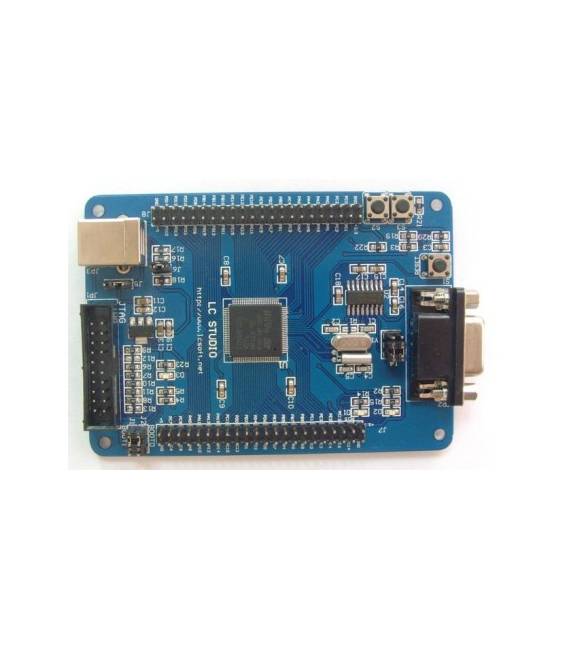
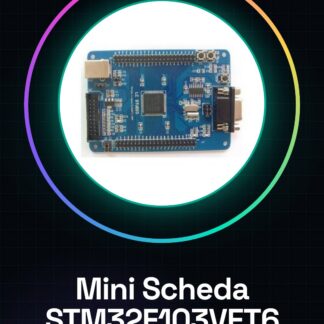
The Mini STM32F103VET6 Board is a development board based on the STM32F103VET6 microcontroller. It offers a simple interface for programming and debugging electronic projects.
Features
- Microcontroller: STM32F103VET6
- SKU: ARD00842
- Price: 26,92 €
- Category: Cortex Development Board, Main Board
What it is for
The board is suitable for projects that require high performance and flexibility. It can be used to create temperature controllers, sensors, interfaces with external devices, and much more. Its compatibility with the STM32Cube development environment and languages like C/C++ makes it versatile for a wide range of applications.
Tutorial: How to use Mini STM32F103VET6 Board
The STM32F103VET6 development board is ideal for projects requiring power and flexibility. This component is perfect for both beginners and experts who wish to explore the possibilities offered by the Cortex-M3 microcontroller.
What you need
- Computers with Windows, Linux, or macOS operating systems
- USB A to mini-B cable
- IDE (Development Software) installed
Steps
- Install the STM32 IDE on the computer
- Connect the STM32F103VET6 board to the computer via USB cable
- Verify that the device driver is correctly installed (if necessary)
- Open a new project in the IDE and select the ARM Cortex-M3 architecture
- Load a sample sketch provided by the development kit
- Monitor communication through the IDE serial monitor
- Check the datasheet to configure the specific GPIO pins of the project
- Perform tests and debugging
Example code
#include <stm32f1xx_hal.h>

int main(void) {
    HAL_Init();
    // Configurazione ulteriore necessaria (verifica sul datasheet)
}
Mini project
Create a simple temperature controller using the STM32F103VET6 board, a temperature sensor, and an 8×8 LED matrix. The project demonstrates how to read data from the sensor and display it on the matrix.
Common mistakes
- Firmware loading error due to missing USB driver installation
- Incorrect GPIO port configuration
- Insufficient power supply issues during intensive operation
Recommended accessories
- Temperature and humidity sensors DHT11 or DHT22
- 8×8 LED matrix
- Portable USB power supply
- RS232/USB serial cable for debug monitoring
Frequently asked questions
What is the maximum clock frequency that this board can handle?
Check the specific STM32F103VET6 datasheet.
How can I add support for external Flash?
Check the datasheet and development kit documentation for correct expansion configuration.
Reviews
There are no reviews yet.