 EN
 IT Italiano
 ES Español
 FR Français
 DE Deutsch
Description
What it is
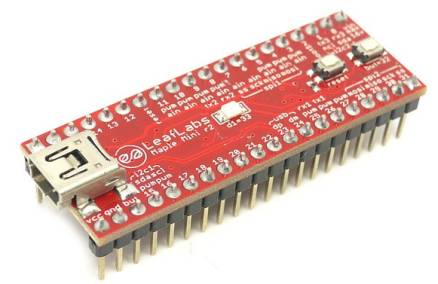
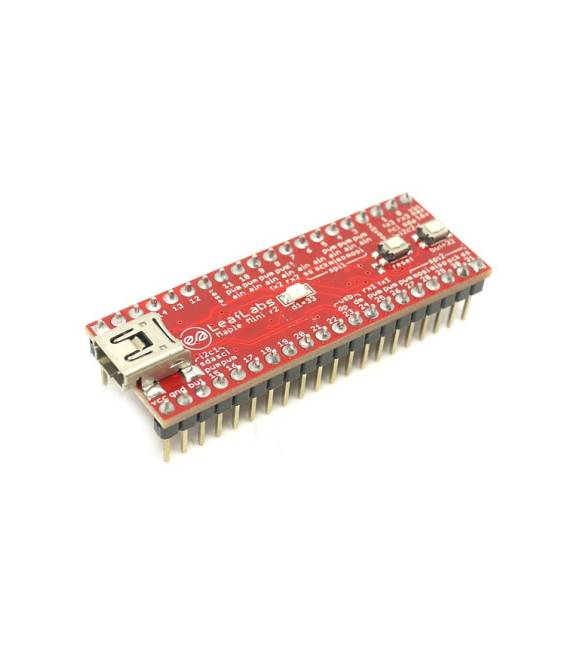
The Maple Mini R3 STM32 48 Pin Development Board is a development board based on the STM32 microcontroller. It offers 48 I/O pins and a USB interface for programming and communication with the computer.
Features
- Microcontroller: STM32
- Pins: 48
- Interface: USB
What it is for
The board is ideal for complex electronic developments, thanks to its numerous I/O pins. It is compatible with the Arduino development environment, making it accessible even to beginners. It can be used for a wide range of projects, such as LED control, sensor and actuator control, or for creating more complex embedded systems.
Tutorial: How to Use Maple Mini R3 STM32 48 Pin Development Board
The Maple Mini R3 STM32 48 Pin Development Board is ideal for Arduino developers and designers who want to explore the potentials of the STM32 microcontroller. Suitable for both beginners and intermediate users.
What you need
- Maple Mini R3 Board
- Arduino IDE
- USB cable
- Example circuit (check the datasheet)
Steps
- 1. Install Arduino IDE (check the official website).
- 2. Connect the board with the USB cable.
- 3. Select ‘Arduino SAMD Boards’ > ‘LeaF Labs Maple Mini R3’ in the ‘Tools’ menu.
- 4. Load the example sketch ‘Blink’ (File > Examples > 01.Basics > Blink).
- 5. Wait for the default LED to turn on and off.
- 6. Check for the presence of a bootloader (check the datasheet).
- 7. Connect an example circuit (check the datasheet).
- 8. Load a custom sketch.
Example code
```cpp
void setup() {
  pinMode(LED_BUILTIN, OUTPUT);
}

void loop() {
  digitalWrite(LED_BUILTIN, HIGH);
  delay(1000);
  digitalWrite(LED_BUILTIN, LOW);
  delay(1000);
}
```
Mini project
Build a simple LED counter using the board and output pins.
Common mistakes
- Forget to install the USB driver (check the official website).
- Connect the board with an incompatible USB cable.
- Select a wrong board option in the ‘Tools’ menu.
- Omit the bootloader check.
Recommended accessories
- Pressure sensors
- LCD display
- Stepper motor
- LiPo battery
Frequently asked questions
How can I check the bootloader?
Check the datasheet or the official website.
Which USB drivers do I need to install?
Check the official LeaF Labs website.
Can I use this board with other IDEs?
Check the official website for compatibility.



Reviews
There are no reviews yet.