 EN
 IT Italiano
 ES Español
 FR Français
 DE Deutsch
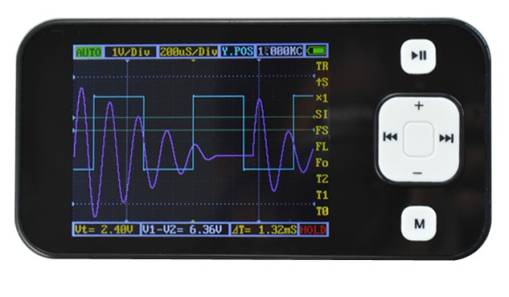
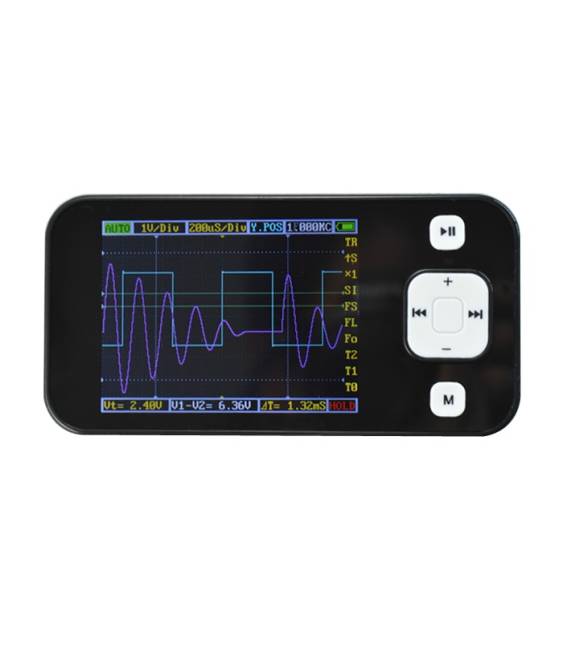
Description
What it is
The portable digital oscilloscope DS0201 is a tool for measuring and analyzing electronic signals in real-time.
Features
- 2.8 inch LCD display
- Pocket-sized format
What it is for
The DS0201 oscilloscope is useful for testing and analyzing electronic signals. Examples of use include measuring the response time of a push button or analyzing signals from electronic circuits. Check the datasheet for compatibility with Arduino/ESP.
Tutorial: How to use DS0201
The portable digital oscilloscope DS0201 is ideal for measuring and analyzing electronic signals in real-time, perfect for beginner and intermediate makers.
What you need
- DS0201
- Power supply
- Test leads
- Components to test
Steps
- 1. Turn on the oscilloscope and wait for the display to fully light up.
- 2. Connect the power supply to the USB port or battery.
- 3. Insert the test leads into the slots specified on the back.
- 4. Move the leads wires onto the batteries to be tested.
- 5. Choose the channel to use through the buttons on the display.
- 6. Adjust the time scale and amplitude using the buttons on the back.
- 7. View the signals and analyze the data.
- 8. Turn off the oscilloscope when not in use.
Mini project
Measure the signal of a push button and display the response time.
Common mistakes
- Do not use the same test head port for power supply and signal.
- Do not adjust the time scale too quickly.
- Do not forget to turn off the oscilloscope when not in use.
Recommended accessories
- AA batteries
- Test leads
- Push buttons
Frequently asked questions
How can I adjust the time scale?
Press the ‘Timebase’ button on the back and use the ‘Up/Down’ button to adjust.
Can I use the oscilloscope with an Arduino?
Yes, but make sure to connect the test signals correctly.
What are the frequency limits of the oscilloscope?
Check the datasheet for specific details, but generally supports up to 10 MHz.



Reviews
There are no reviews yet.