 EN
 IT Italiano
 ES Español
 FR Français
 DE Deutsch
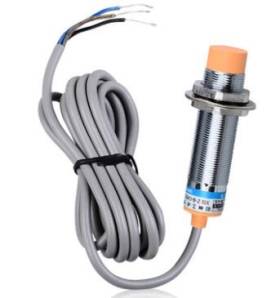
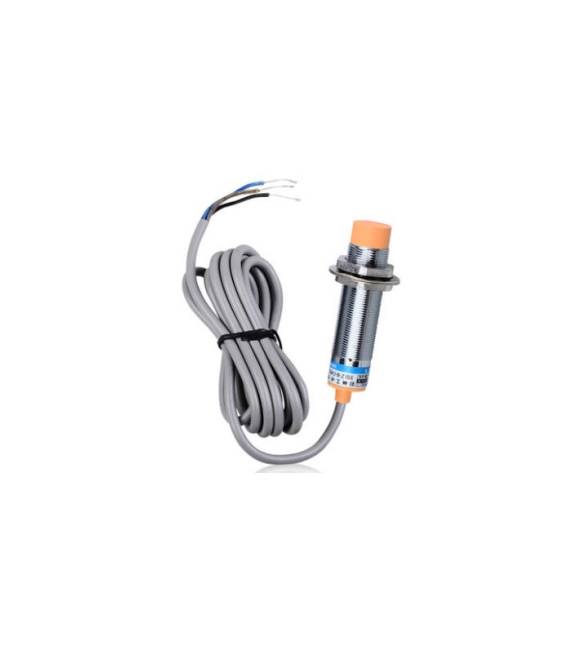
Description
What it is
LJC18A3-B-Z/BX is a capacitive proximity sensor that detects the presence of objects at a specific distance. Used to detect the nearness of objects without physical contact, this sensor can be integrated into a variety of electronic applications.
Features
- Type: Capacitive Proximity Sensor
- Operating Voltage: DC12~24V
- Detection Range: 10mm ±10%
- Output Type: NPN
- Wire Type: check datasheet
What it is for
This sensor is ideal for Arduino projects and electronic applications that require non-invasive distance control. It can be used to create alarm systems, motion sensors, object detection systems, and much more. Its precision and reliability make it a popular choice for a wide range of applications.
Tutorial: How to use LJC18A3-B-Z/BX
The capacitive proximity sensor switch LJC18A3-B-Z/BX is ideal for projects requiring non-invasive control. Useful for beginners and intermediate makers.
What you need
- LJC18A3-B-Z/BX
- Arduino
- Pull-up resistor (10kΩ)
- DC12~24V power cable
Steps
- 1. Check the datasheet for power supply specifications.
- 2. Connect the DC12~24V power cable to the VCC pin.
- 3. Connect the GND pin to the Arduino GND.
- 4. Connect the OUT pin to a digital pin on the Arduino (e.g., D2).
- 5. Connect a pull-up resistor (10kΩ) between the OUT pin and VCC.
- 6. Load the source code.
- 7. Configure the serial interface to control the switch state.
- 8. Test the functionality.
Example code
void setup() {
  Serial.begin(9600);
  pinMode(2, INPUT);
}

void loop() {
  int state = digitalRead(2);
  Serial.println(state);
  delay(100);
}
Mini project
Build a simple alarm system. Connect the switch to a digital pin and program the Arduino to turn on an LED when the distance exceeds 10mm.
Common mistakes
- Incorrect power supply: ensure you are using DC12~24V.
- Incorrect wiring: check VCC, GND, and OUT pins.
- Missing pull-up resistor: it may not work properly.
- Insufficient power supply: ensure the power supply is stable.
Recommended accessories
- Arduino Uno
- LED
- 220Ω Resistor
- Power Supply Cable
Frequently asked questions
How can I test the switch?
Connect the switch to a digital pin and use the provided source code.
What should I do if the switch doesn’t work?
Check connections and power supply. Verify if the proximity distance is within the specified range.
Can I use this switch with Arduino Nano?
Yes, it is compatible with any Arduino.
How long does the power supply battery last?
Check the datasheet for specific information.



Reviews
There are no reviews yet.