 EN
 IT Italiano
 ES Español
 FR Français
 DE Deutsch
Description
High-quality electronic components for mechanical and automation projects
Tutorial: How to use L298N IC
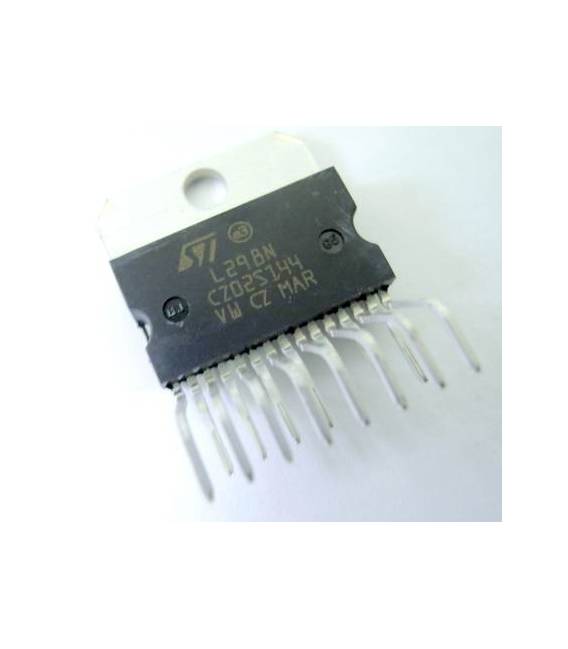
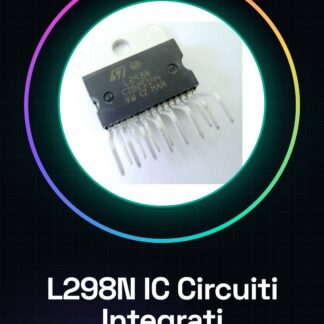
The L298N IC is a motor controller for bipolar and stepper motors, ideal for projects requiring the control of DC motors or servomotors. It is particularly useful for beginners who want to control multiple motors with Arduino.
What you need
- Arduino Uno
- DC Motors
- Capacitors
- Resistors
Steps
- Connect the capacitors to the VCC and GND pins of the L298N for circuit protection.
- Connect the Arduino to the L298N via the control pins (IN1-4).
- Connect the DC motors to the outputs of the L298N (OUT1-4).
- Check the maximum voltages and currents on the L298N datasheet.
- Write the Arduino code to control the motor operation.
- Upload the sketch to Arduino.
- Test the motor direction and speed.
- Adjust the control values in the code if necessary.
Example code
void setup() {
  pinMode(2, OUTPUT);
pinMode(3, OUTPUT);
}

void loop() {
analogWrite(2, 150); // Imposta la velocità del motore
analogWrite(3, 150);
delay(1000);
analogWrite(2, 0); // Fermare il motore
delay(1000);
}
Mini project
Build a robotic vehicle controlled by Arduino with two DC motors driven by the L298N. You can add distance sensors for obstacle avoidance.
Common mistakes
- Omission of capacitor protection.
- Incorrect setting of maximum voltage and current.
- Failure to control the heat generated by the L298N during continuous use.
- Connection error between Arduino and L298N.
Recommended accessories
- 10uF capacitors
- Variable resistors
- HC-SR04 distance sensors
- Thermal Protection Kit
Frequently asked questions
What is the maximum voltage I can provide to the L298N?
Check the datasheet for the maximum supported voltage.
How do I control the heat generated by the L298N during use?
Add heat sinks or a radiator as needed, as indicated in the datasheet.
Can I use multiple L298N in parallel to increase power?
Yes, but make sure they are properly synchronized and verified in the datasheet.
Reviews
There are no reviews yet.