 EN
 IT Italiano
 ES Español
 FR Français
 DE Deutsch
Description
What it is
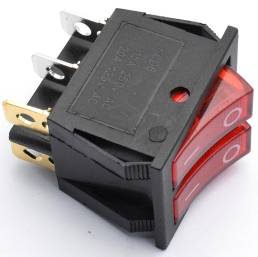
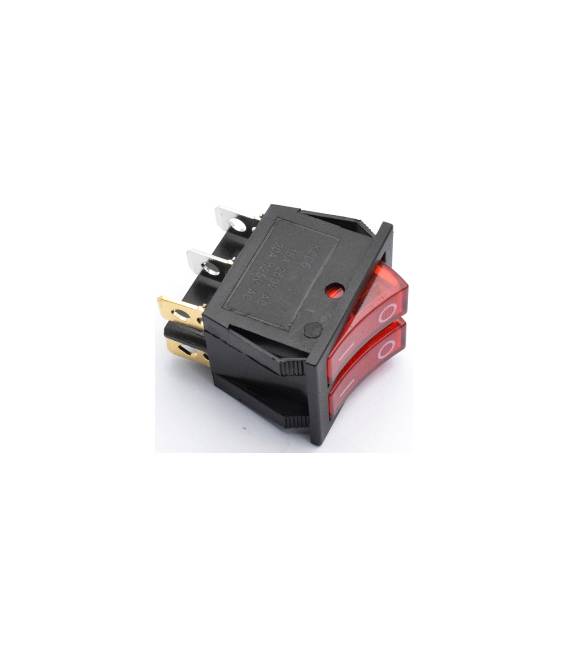
The KCD6 Double Round Switch is a double position switch, ideal for Arduino and electronic projects. It allows bidirectional control of circuits up to 15A 250V.
Features
- Type: Double Round Switch
- Pin Count: 6
- Positions: 2
- Maximum Current: 15A
- Maximum Voltage: 250V
What it is for
The KCD6 switch is perfect for controlling electronic devices. For example, you can use it to turn on/off an LED, a motor, or any other device with a power below 15A. It is compatible with Arduino and other microcontrollers.
Tutorial: How to Use KCD6 Switch
The KCD6 Switch is a double position switch suitable for controlling electronic devices. Ideal for electric control projects.
What you need
- KCD6 Switch
- Arduino
- Power Cable
- 10kΩ Resistor
Steps
- 1. Check the switch specifications (15A, 250V) on the datasheet.
- 2. Prepare the circuit: connect pins 1 and 2 to the VCC (5V) of the Arduino.
- 3. Connect pins 3 and 4 to a digital pin on the Arduino (e.g., D2).
- 4. Connect pins 5 and 6 to GND.
- 5. Connect a 10kΩ resistor between pin 4 and GND to protect the Arduino.
- 6. Load the Arduino code.
- 7. Test the switch: by moving its position, observe the changes on pin D2.
- 8. Verify the stability of the switch in all positions.
Example code
```void setup() {} void loop() { int pos = digitalRead(2); Serial.println(pos); }```Mini project
Build a simple switch to turn on/off an LED.
Common mistakes
- Do not verify specifications on the datasheet.
- Connect VCC to the GND pin.
- Omit the protection resistor.
- Do not test the switch in all positions.
Recommended accessories
- LED
- Resistor for LED
- Multimeter
Frequently asked questions
Does the switch work with currents above 15A?
No, check the specifications on the datasheet.
Can I use this switch to control electrical devices?
Yes, but make sure the maximum current is below 15A.
How can I protect the Arduino?
Connect a resistor for protection between the digital pin and GND.



Reviews
There are no reviews yet.