 EN
 IT Italiano
 ES Español
 FR Français
 DE Deutsch
Description
What it is
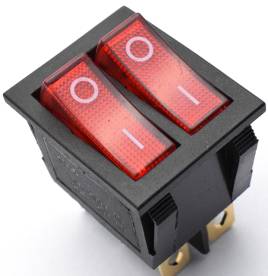
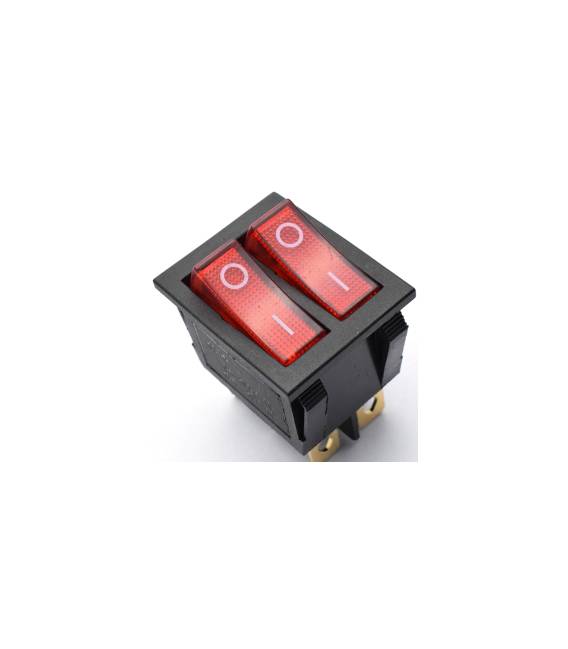
The KCD3 switch is a round switch with 2 positions and 4 pins. It is designed to control the flow of current in electronic circuits.
Features
- Type: Round Switch
- Positions: 2
- Maximum Current: 15A
- Maximum Voltage: 250V
- Pins: 4
What it is for
The KCD3 switch is ideal for controlling electronic devices in 2-position circuits. It can be used, for example, in automatic lighting projects, where the switch can act as a presence detector.
Tutorial: How to Use KCD3
The KCD3 switch is ideal for controlling electronic devices in 2-position circuits. Useful for beginners and intermediate makers.
What you need
- KCD3
- Arduino Uno
- 10kΩ Resistor
- Test Lead
Steps
- 1. Assemble the KCD3 on a protoboard.
- 2. Connect pins 1 and 2 to the VCC and GND of the Arduino.
- 3. Connect pin 3 to digital pin 2 of the Arduino.
- 4. Connect pin 4 to the GND of the Arduino.
- 5. Connect to your Arduino using the software IDE.
- 6. Load the following code.
- 7. Check if the switch works correctly.
- 8. Check the datasheet for additional specifications.
Example code
int ledPin = 13;
int kcd3Pin = 2;

void setup() {
  pinMode(kcd3Pin, INPUT);
  pinMode(ledPin, OUTPUT);
}

void loop() {
  if (digitalRead(kcd3Pin) == HIGH) {
    digitalWrite(ledPin, HIGH);
  } else {
    digitalWrite(ledPin, LOW);
  }
}
Mini project
Create an automatic lighting system using the KCD3 switch as a presence sensor.
Common mistakes
- Connect pin 3 to VCC instead of a digital pin.
- Omit checking the datasheet.
- Do not use a pull-up resistor.
- Ignore configuring the pin as INPUT.
Recommended accessories
- Arduino Uno
- 10kΩ Resistor
- Test Lead
- Protoboard
Frequently asked questions
Can I use another Arduino board?
Yes, the KCD3 switch is compatible with many Arduino boards, but check the maximum voltage.
Which resistor should I use?
Use a 10kΩ resistor as a pull-up.
What are the current limits?
The KCD3 supports up to 15A, but check the maximum voltage.
Can I use this switch for AC circuits?
Yes, but make sure the maximum voltage is compatible.



Reviews
There are no reviews yet.