 EN
 IT Italiano
 ES Español
 FR Français
 DE Deutsch
Description
What it is
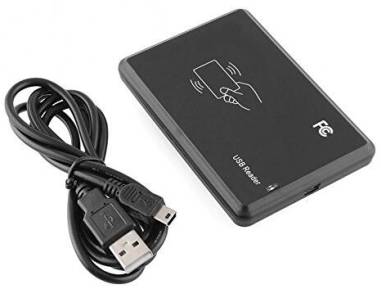
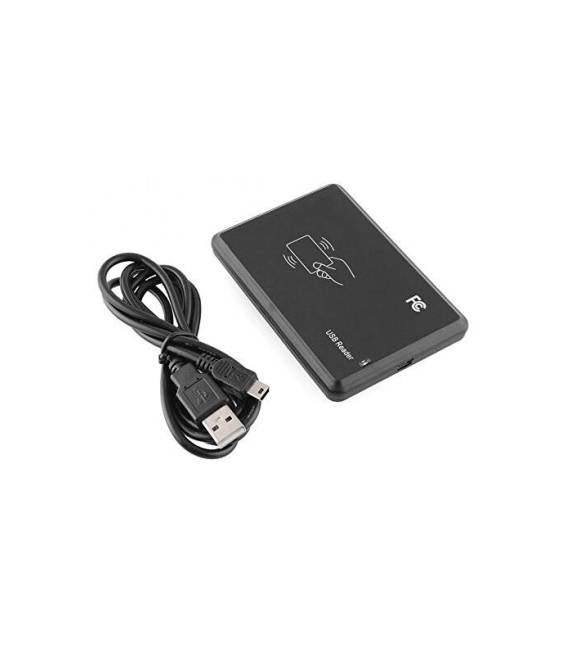
The JT308 is a RFID card reader for proximity sensor, connectable via USB. It is designed to operate at 125KHz and read compatible RFID cards.
Features
- Connection: USB
- Frequency: 125KHz
- Type: Proximity Sensor
What it is for
The JT308 can be used to create RFID-based access systems, such as door or restricted area access control. It can also be integrated into security and identification projects. It is compatible with Arduino and IoT platforms.
Tutorial: How to use JT308
The JT308 is a USB RFID reader for proximity sensor, ideal for security and identification projects. It serves to read 125KHz RFID cards.
What you need
- JT308
- PC with USB
- 125KHz RFID cards
- Arduino IDE Software
Steps
- Download and install Arduino IDE.
- Connect JT308 to your PC.
- Check the datasheet for sensor RFID specifications.
- Create a new project in Arduino IDE.
- Write the minimum code: `#include
`
void setup() {
Serial.begin(9600);
}
void loop() {
if (rfid.available()) {
Serial.println(rfid.readCardSerial());
}
}`. - Upload the code to your Arduino.
- Hold an RFID card near the JT308.
- Check the serial number on the serial console.
Example code
```cpp
#include <RFID.h>

void setup() {
  Serial.begin(9600);
}

void loop() {
  if (rfid.available()) {
    Serial.println(rfid.readCardSerial());
  }
}
```
Mini project
Create a simple access system: read the RFID card and control access to a door.
Common mistakes
- Cannot read the RFID card correctly.
- USB connection problems.
- Error in code configuration.
- Non-functional RFID card.
Recommended accessories
- 125KHz RFID cards
- Arduino Uno
- USB serial port
- Electronic protection enclosures
Frequently asked questions
How to connect the JT308?
Connect the JT308 to your PC using a USB cable.
Which RFID cards work with JT308?
125KHz RFID cards.
Does the JT308 work with Arduino Uno?
Yes, the JT308 works with Arduino Uno.



Reviews
There are no reviews yet.