 EN
 IT Italiano
 ES Español
 FR Français
 DE Deutsch
Description
What it is
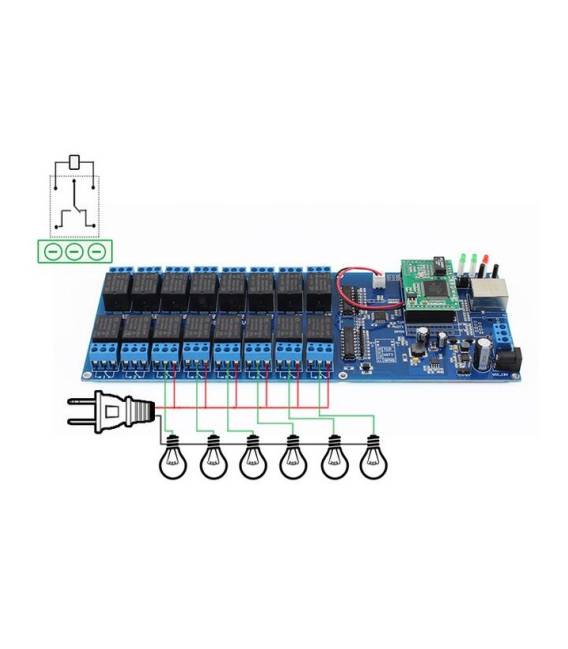
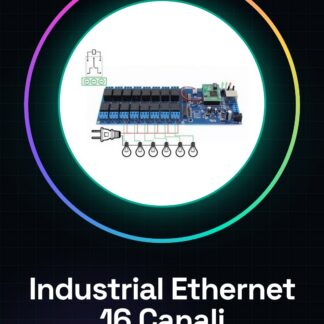
The Industrial Ethernet 16 Channel Output TCP/IP Relay WEB Internet Switch Remote UK is a device that allows remote control of 16 relays via Ethernet network. This module is designed for industrial and home automation applications, enabling the management of electronic devices such as lights or motors from anywhere in the world thanks to an internet connection.
Features
- 16 channel relay output
- Remote TCP/IP control
- WEB interface for configuration and control
What it is for
Ideally, this module is used to create remote-controlled lighting systems or to control other electronic devices in a decentralized manner. It can be integrated with Arduino-based projects or ESP8266/ESP32 projects through appropriate configuration.
Tutorial: How to use Industrial Ethernet 16 channels
This relay allows controlling 16 electronic devices via Ethernet network. Ideal for industrial or home automation projects.
What you need
- PC with Windows or Linux
- Arduino IDE
- Ethernet cable
- 16 relays to connect
Steps
- 1. Install Arduino IDE.
- 2. Check relay specifications on the datasheet.
- 3. Download and install Ethernet library in Arduino IDE.
- 4. Connect relays to Arduino via digital pins.
- 5. Connect Ethernet cable to Arduino.
- 6. Write code to manage the 16 channels.
- 7. Upload code to Arduino.
- 8. Test connection and remote control.
Example code
void setup() { Ethernet.begin(mac, ip); for (int i = 0; i < 16; i++) { pinMode(i, OUTPUT); } } void loop() { // Gestire i 16 canali qui }Mini project
Create a remote-controlled lighting system. Connect 16 relays to lights and control them via the internet.
Common mistakes
- Incorrectly configure the Ethernet network.
- Connect incorrect pins on Arduino.
- Forget to install the Ethernet library.
- Write incorrect Arduino code.
Recommended accessories
- Relay
- Ethernet Cable
- Arduino
- PC
Frequently asked questions
How to configure the Ethernet network?
Check the configuration specifications on the datasheet and correctly set the IP address in the Arduino IDE.
Which Arduino pins to use?
Use digital pins 0-15 for the 16 relays.
Does the Arduino code work with other network protocols?
The code only works with Ethernet TCP/IP network.
Can I control the relays from a smartphone?
Yes, connect your smartphone to the network and control the relays through the code.
Reviews
There are no reviews yet.