 EN
 IT Italiano
 ES Español
 FR Français
 DE Deutsch
Description
What it is
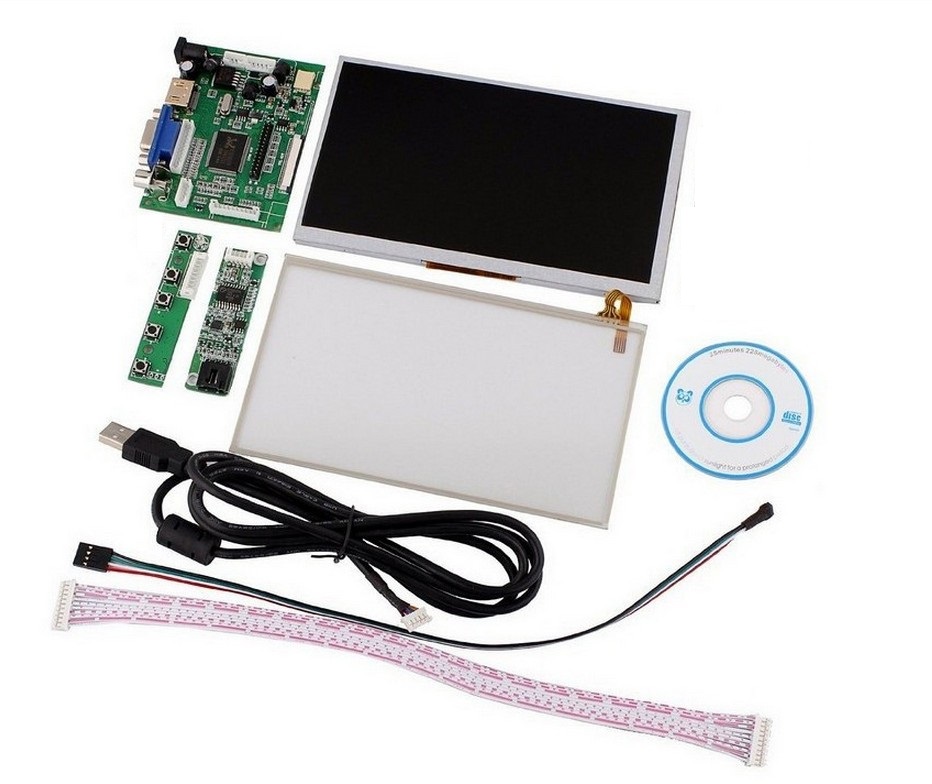
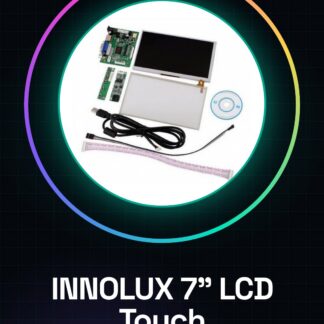
The INNOLUX 7″ LCD Touch Screen Display TFT Monitor is a 7-inch TFT display with touchscreen compatible with Raspberry Pi. The display is based on the AT070TN90 panel and includes a driver board with HDMI and VGA inputs.
Features
- Screen size: 7 inches
- Technology: TFT
- Touchscreen: Yes
- Connections: HDMI, VGA
- Panel: AT070TN90
- Compatibility: Raspberry Pi
What it is for
This display is ideal for Raspberry Pi projects that require an interactive visual interface. It can be used to create configuration menus, custom user interfaces, and applications that need touchscreen input.
Tutorial: How to use INNOLUX 7-inch Raspberry Pi LCD Touch Screen Display
This TFT touch screen is ideal for Raspberry Pi projects that require an interactive visual interface. Useful for beginners and intermediates.
What you need
- INNOLUX 7-inch LCD Touch Screen Display
- Raspberry Pi
- HDMI cable
- VGA Cable (optional)
Steps
- Check the datasheet for specific resolution and power requirements.
- Connect the screen to the Raspberry Pi via HDMI.
- If necessary, connect the screen to the Raspberry Pi via VGA.
- Install the latest version of Raspbian on Raspberry Pi.
- Install the display driver using the command: `sudo apt-get install fbv`.
- Configure the display in the `/boot/config.txt` file: `hdmi_group=2` and `hdmi_mode=87`.
- Verify the configuration with `tvservice -s`.
- Try to display a test video with `fbv /dev/fb0`.
Mini project
Create a simple configuration menu for the Raspberry Pi using the touchscreen.
Common mistakes
- Do not correctly connect the HDMI or VGA cable.
- Do not install the display driver.
- Do not correctly configure `/boot/config.txt`.
- Do not verify the configuration with `tvservice -s`.
Recommended accessories
- HDMI Cable
- VGA Cable
- Anti-reflective sticker
- Headphone to protect the touchscreen
Frequently asked questions
How can I protect the touchscreen?
Apply an anti-reflective sticker to improve sensitivity.
Does the display work with Raspberry Pi 4?
Yes, but check the compatibility specifications.
Can I use the display with a Raspberry Pi Zero?
No, the Raspberry Pi Zero does not support the touchscreen.
What are the power specifications?
Check the datasheet for exact specifications.
Reviews
There are no reviews yet.