 EN
EN IT Italiano
 ES Español
 FR Français
 DE Deutsch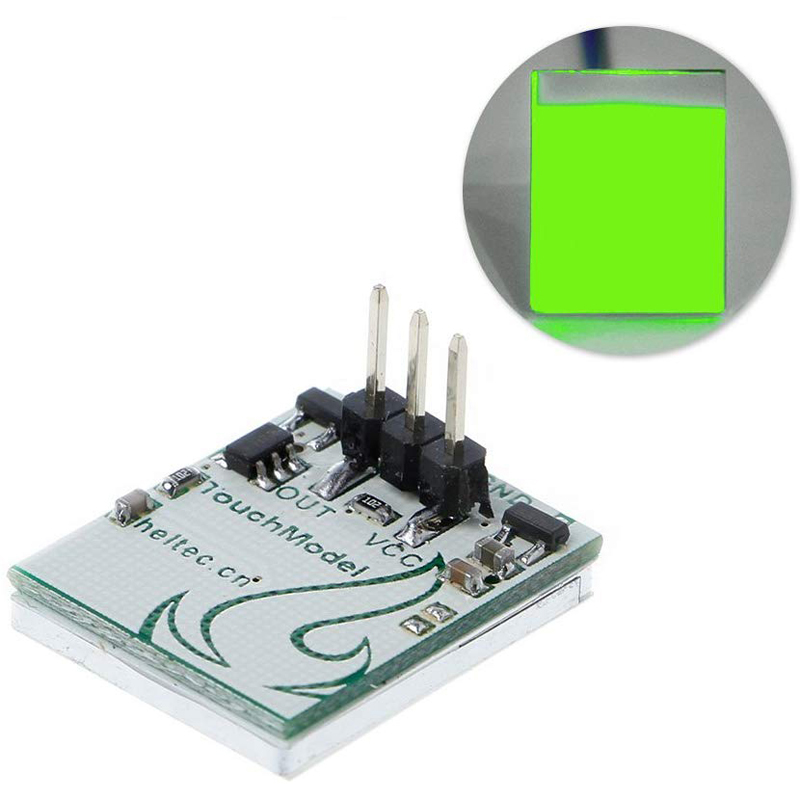
Description
What it is
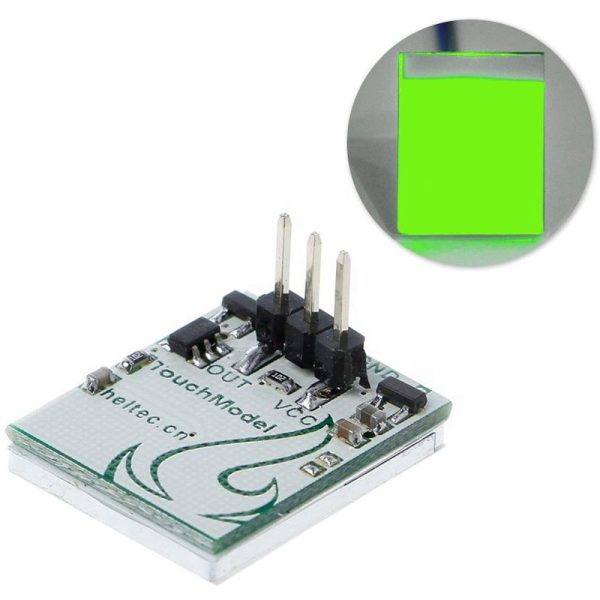
The HTTM touch button sensor module is a green capacitive switch that detects the presence of a finger without physical contact. This component is perfect for interactive and control projects with Arduino.
Features
- HTTM touch button sensor module
- Green capacitive switch
- Perfect for interactive and control projects with Arduino
What it is for
Ideal for consumer electronics and prototype projects, the HTTM module is easy to integrate into Arduino circuits and other microcontrollers. It can be used to create a home alarm system that activates an audio signal or an LED when the HTTM module is pressed.
Tutorial: How to use the HTTM touch button sensor module
The HTTM touch button sensor module is a green capacitive switch that detects the presence of a finger without physical contact. Ideal for consumer electronics projects and prototypes, it is easy to integrate into Arduino and other microcontroller circuits.
What you need
- Arduino Uno
- USB cable
- Connect to computer
- Arduino IDE software
Steps
- Install the Arduino IDE software on your computer.
- Connect the Arduino Uno to the computer via the USB cable.
- Open a new tab in the Arduino IDE software.
- Insert the example code from step 5.
- Upload the code to the HTTM module.
- Verify the pin connections of the HTTM module with those of the Arduino Uno: GND to GND, VCC to 5V and OUT to a digital pin of the Arduino.
- Open the Serial Monitor in the Arduino IDE to view the input data from the module.
- Test the touch button by pressing it and observe the response in the Serial Monitor.
Example code
const int buttonPin = 2; // definisci il pin digitale collegato al modulo HTTM void setup() { pinMode(buttonPin, INPUT); Serial.begin(9600); } void loop() { int buttonState = digitalRead(buttonPin); // leggi lo stato del pulsante tattile Serial.println(buttonState); // invia lo stato del pulsante al Serial Monitor delay(100); // attendi 100 ms prima di rilevare di nuovo lo stato del pulsante }Mini project
Create a home security system that activates an audible signal or an LED when the HTTM module is pressed.
Common mistakes
- Do not verify the correct pin connection.
- Do not upload the correct code to the Arduino Uno.
- Do not verify the correct configuration of the Serial Monitor.
- Do not adequately test the module before integrating it into a more complex project.
Recommended accessories
- RGB LED Module
- Relay Module
- Motion Sensors
- Buzzer
Frequently asked questions
The HTTM module does not respond.
Verify the pin connection and upload the correct code to the Arduino.
How can I use the HTTM module with a different microcontroller?
Adapt the Arduino code to the programming language of your microcontroller.
Is the HTTM module compatible with 3.3V power supply?
Check the datasheet to see if the module supports 3.3V power supply.

Reviews
There are no reviews yet.