 EN
EN IT Italiano
 ES Español
 FR Français
 DE Deutsch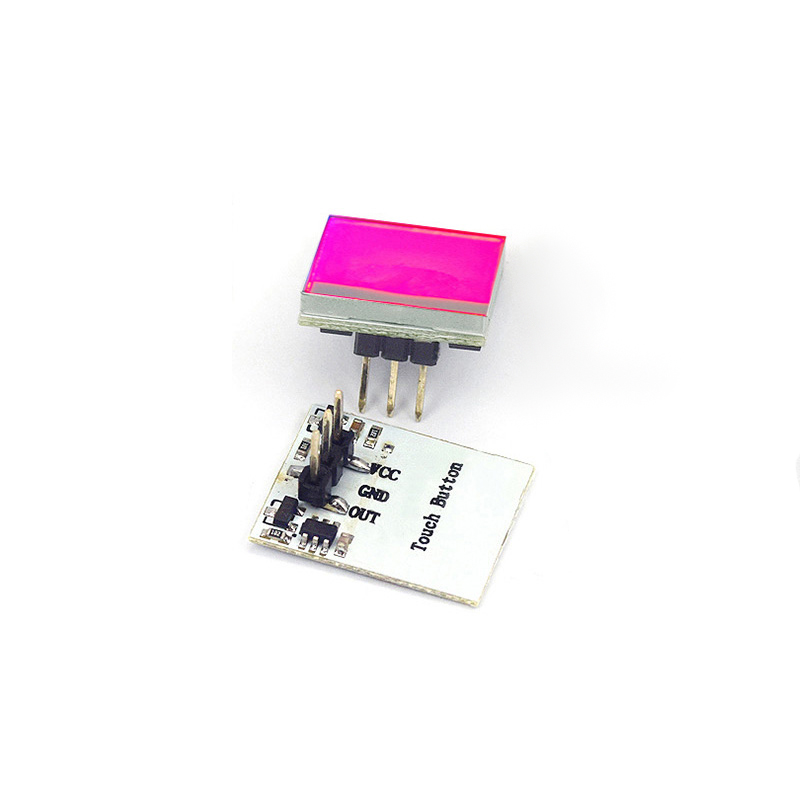
Description
What it is
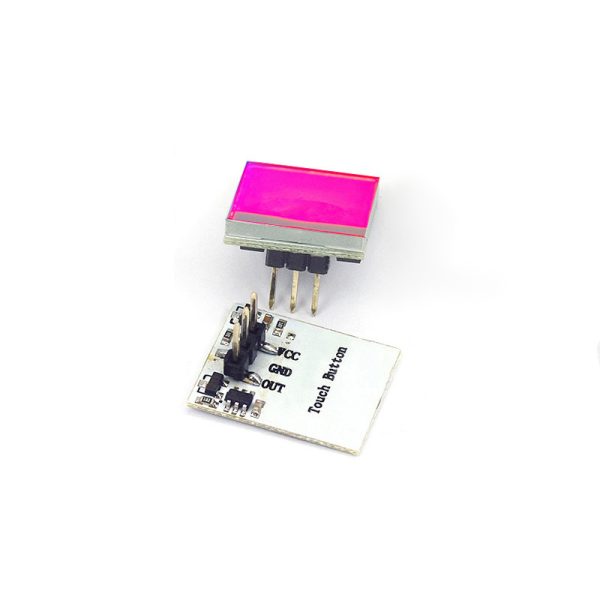
The tactile button sensor module HTTM with red capacitive touch switch is an electronic component designed for interactive project realization and 3D printing. This module is ideal for beginner and intermediate makers who want to integrate a capacitive touch switch into their Arduino projects.
Features
- Tactile Button Sensor Module HTTM
- Capacitive Touch Switch
- Red color
What it is for
This component can be used to create home alarm systems that send an email message when the tactile button is pressed. It is compatible with Arduino and can be used in various projects that require a capacitive touch switch.
Tutorial: How to Use the Tactile Button Sensor Module HTTM
The HTTM touch button sensor module is ideal for Arduino projects that require a capacitive touch switch. This component is perfect for beginner and intermediate makers who want to add a touch of interactivity to their projects.
What you need
- Arduino Uno or compatible
- USB cable
- Computer with Arduino software installed
Steps
- Connect the HTTM module to a digital interface of Arduino (e.g., pin 2)
- Open the Arduino software and create a new sketch
- Include the necessary library for the HTTM module (check the datasheet)
- Write the code to read the state of the touch button
- Upload the code to Arduino
- Verify the proper functioning of the touch button
- Test the project by adding additional features
- Optimize the code and improve the project
Example code
const int buttonPin = 2; // collega il pulsante a questo pin
int buttonState = 0;

void setup() {
  pinMode(buttonPin, INPUT);
}

void loop() {
  buttonState = digitalRead(buttonPin);
  if (buttonState == HIGH) {
    Serial.println("Pulsante premuto");
  }
}
Mini project
Create a home alarm system that sends an email when the touch button is pressed.
Common mistakes
- Connecting the button to the wrong pin
- Not uploading the code correctly to Arduino
- Not checking the proper functioning of the button before continuing with the project
- Omitting to add the necessary library for the HTTM module
Recommended accessories
- Wi-Fi ESP8266 Module
- Ethernet W5100 Module
- SMS GPRS Module
- RTC DS3231 Module
Frequently asked questions
How can I connect the HTTM module to a circuit?
Connect the output pin of the HTTM module to a digital pin of Arduino.
What libraries do I need to use the HTTM module?
Check the datasheet of the HTTM module for the necessary library.
Can the HTTM module be used with other microcontrollers?
Yes, the HTTM module can be used with other compatible microcontrollers, but it may be necessary to adapt the code.
Reviews
There are no reviews yet.