 EN
 IT Italiano
 ES Español
 FR Français
 DE Deutsch
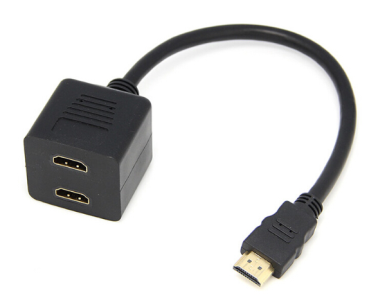
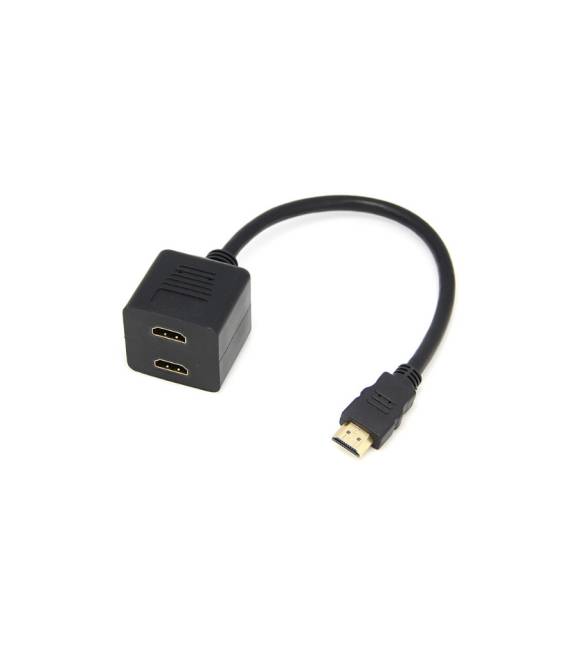
Description
Hdmi Dispenser HUB 1 Into 2
Tutorial: How to Use HDMI Dispenser HUB 1 Into 2
This HDMI Hub allows you to connect a single HDMI device to two monitors or televisions, ideal for multi-piano environments or work configurations.
What you need
- HDMI Dispenser HUB 1 Into 2
- HDMI Cable
- Two monitors or televisions with HDMI
- Tangle of cable (optional)
Steps
- Step 1: Check the datasheet for the HDMI specifications of your device.
- Step 2: Connect the HDMI cable to the HDMI port of the Dispenser HUB.
- Step 3: Connect the two monitors or televisions to the two HDMI outputs of the Dispenser HUB.
- Step 4: Turn on the devices and ensure that the image quality is optimal.
- Step 5: Configure the device on one of the two monitors if necessary.
- Step 6: Verify that it is possible to display correctly on both monitors.
- Step 7: Check the datasheet to see if the Dispenser HUB supports audio.
- Step 8: If supported, connect the audio cable to the Dispenser HUB and to the two monitors or televisions.
Mini project
Configure the Dispenser HUB to display a video on both connected monitors in 15 minutes.
Common mistakes
- Unable to display image on monitor: check HDMI compatibility.
- Audio not working: check the datasheet to see if supported.
- Unable to connect the audio cable: if not supported, ignore this step.
- Image quality issues: ensure that the HDMI configuration is correct.
Recommended accessories
- HDMI cable
- Tournament cable
- HDMI to VGA adapter (if necessary)
- 5V power supply (if necessary)
Frequently asked questions
Does the Dispenser HUB support audio?
Check the datasheet to see if it supports audio.
Can I connect more than two devices?
No, this Dispenser HUB supports only 1 in/2 out.
What are the cable length limitations?
Check the datasheet for HDMI cable length limitations.
Does the Dispenser HUB work with all HDMI devices?
Check the datasheet for HDMI compatibility of your device.
Reviews
There are no reviews yet.