 EN
 IT Italiano
 ES Español
 FR Français
 DE Deutsch


Description
What it is
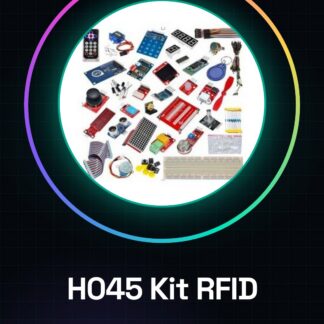
The H045 kit is a package of components for learning and realizing projects based on RFID technology. Designed to be used with both Arduino and Raspberry Pi, this kit allows you to understand the fundamental principles of RFID systems and create practical applications such as authentication systems.
Features
- Resistance pack (1K 5 pieces + 10K 5 pieces + 220R 8 pieces)
What it is for
The main uses of the H045 kit include creating RFID authentication systems to access a home or business network. The Raspberry Pi can be configured as a server that recognizes only authorized ID cards, while Arduino can be used to manage the RFID reader and control connected devices.
Tutorial: How to use RFID Learning Kit for Raspberry PI and Arduino
The H045 kit is designed to help you understand the functioning of RFID systems. Ideal for both beginners and experts, this kit allows you to create authentication and security applications.
What you need
- Raspberry Pi or Arduino
- USB connection or GPIO
- Required software installed
Steps
- 1. Connect the RFID module to the Raspberry Pi or Arduino following the instructions in the datasheet.
- 2. Download and install the necessary drivers from the manufacturer’s official website.
- 3. Verify the connection with a test command (example: ls /dev/ttyACM0 for Raspberry Pi).
- 4. Compile and run a test sketch or script provided in the kit.
- 5. Test the interaction of the RFID module with an ID card.
- 6. Modify the sketch/script to implement custom features such as data reading.
- 7. Monitor the results and fix any connection or software issues.
- 8. Try to create an application that stores and controls user access.
Example code
// Esempio di codice Arduino
#include <SPI.h>
#include <MFRC522.h>
#define SS_PIN 10
#define RST_PIN 9
MFRC522 rfid(SS_PIN, RST_PIN);
volatile bool tagPresente = false;
void setup() {
  Serial.begin(9600);
  SPI.begin();
  rfid.PCD_Init();
}
void loop() {
  if (rfid.PICC_IsNewCardPresent()) {
    tagPresente = true;
  }
}
Mini project
Create an RFID authentication system to access a home network. Configure the Raspberry Pi as a server that recognizes only authorized ID cards.
Common mistakes
- USB or GPIO connection problems
- Drivers not installed correctly
- Error in reading RFID data
Recommended accessories
- Customizable RFID cards
- External antenna to improve reception
- LCD display for visual output
- Portable batteries for Raspberry Pi
Frequently asked questions
How can I verify the authenticity of the ID cards?
Use an integrated encryption software in the kit.
Which programming languages does the kit support?
Supports Python for Raspberry Pi and C/C++/Arduino IDE for Arduino.

Reviews
There are no reviews yet.