 EN
 IT Italiano
 ES Español
 FR Français
 DE Deutsch
Description
What it is
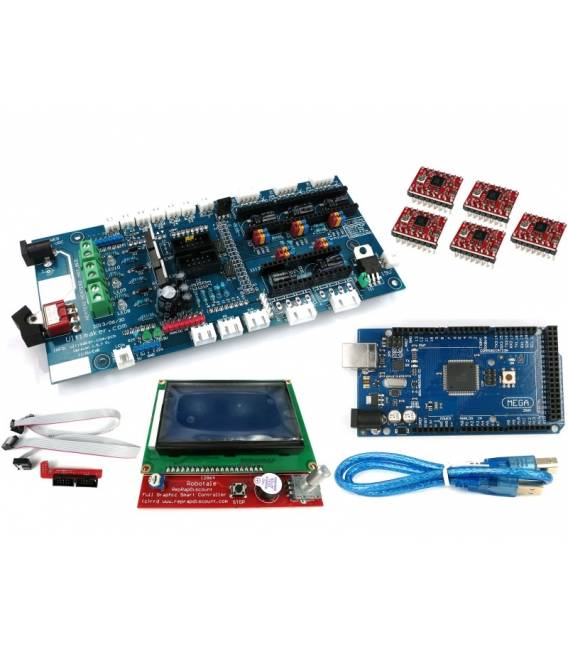
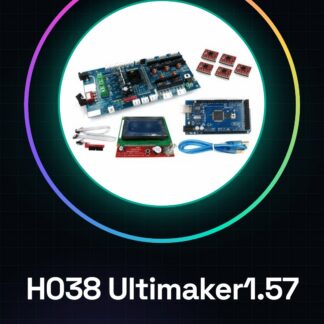
The H038 Ultimaker1.57 is a 3D printer RepRap starter kit that includes a Mega 2560 board, five A4988 modules, and an integrated LCD 2004 controller.
Features
- Ultimaker1.57 Board
- Arduino Mega 2560 Board
- Five A4988 modules for motor control
- Integrated LCD 2004 controller
What it is for
This kit is designed to simplify the setup of a RepRap 3D printer, providing the necessary components for motor control and user interface. It is suitable for both beginners and experts looking to customize a 3D printer.
Tutorial: How to use H038 Ultimaker1.57 + Mega 2560
This kit is ideal for those who want to start printing 3D objects with a RepRap printer, providing everything needed to connect and configure motor control and the LCD screen. Suitable for both beginners and Arduino experts looking to customize a 3D printer at home or in the lab.
What you need
- Arduino Mega 2560
- LCD Screen 2004
- Driver A4988 (5 pieces)
- USB Type B Cable
- Electric Network Connection
Steps
- Connect the LCD screen to pin 12 of the Mega 2560.
- Connect each A4988 driver to the X, Y, Z motors of the Ultimaker 1.57 and to the relay.
- Configure the maximum current for each motor by checking the component datasheet.
- Install the printer control software (e.g., Marlin) on the Arduino Mega.
- Connect the Ultimaker 1.57 to the power supply.
- Verify the USB connection between Arduino Mega and computer to upload the firmware.
- Configure the control software settings such as temperature, speed, and materials to print.
- Test the installation with a simple 3D printing project.
Mini project
Print a small geometric sculpture in PLA. Load the GCode file into the control software and monitor the print through the LCD screen.
Common mistakes
- Do not properly verify the A4988 driver specifications.
- Configure the firmware without first testing the physical connection.
- Omit the configuration of the feed and deposition temperature of the filament.
- Interrupt the print during a critical process without planning a proper pause.
Recommended accessories
- PLA Filament
- 3D Printer Maintenance Kit
- Laboratory Tools (screwdrivers, pliers)
- External USB-C Power Supply
Frequently asked questions
What is the difference between this kit and others?
This kit includes an integrated LCD control and A4988 drivers for a complete basic configuration.
Can I use another type of filament with this printer?
Yes, but you will need to check the specific filament temperatures and update them in the control software.
How can I improve the print quality?
Update the firmware to include advanced features such as mesh or inertia optimization.
Reviews
There are no reviews yet.