 EN
 IT Italiano
 ES Español
 FR Français
 DE Deutsch
Description
What it is
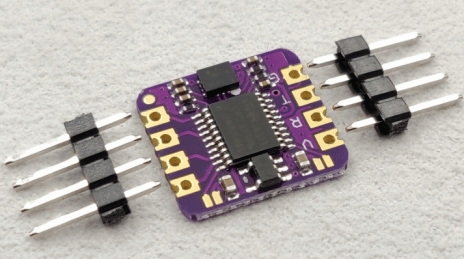
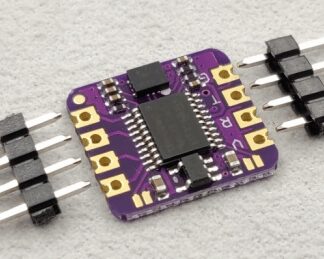
The GY-23 6-axis Module is a multifunction sensor for Arduino, capable of measuring the angle of inclination in electronic and robotics projects.
Features
- Measures the angle of inclination in six axes
- Communication via serial port
- Integrates accelerometer and gyroscope
- Double axis measurement
What it is for
The GY-23 module is ideal for projects that require the detection of angle of inclination, movements, and rotations. It can be used in applications such as device navigation, robot control, and drone stabilization. It is compatible with Arduino and other microcontrollers.
Tutorial: How to use GY-23 6-axis Angle Inclination Sensor Module
The GY-23 module is a versatile sensor that allows measuring the acceleration and orientation of a device in three dimensions. It is ideal for projects that require the detection of angle of inclination, movements, and rotations.
What you need
- Arduino Uno
- USB cable
- breadboard
- Jumper connections
- Arduino IDE software
Steps
- Install the Arduino IDE software on your computer.
- Connect the GY-23 module to the breadboard.
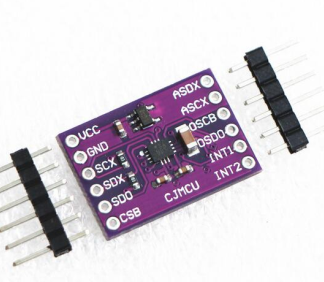
- Connect the VCC and GND pins of the GY-23 module to the 5V and GND pins of the Arduino.
- Connect the SDA and SCL pins of the GY-23 module to the A4 (SDA) and A5 (SCL) pins of the Arduino.
- Upload the provided example sketch to the Arduino.
- Open the serial monitor in Arduino IDE.
- Verify that the sensor data is displayed correctly.
- Modify the sketch to fit your project requirements.
Example code
/*
* GY-23 I2C Example
*/
#include <Wire.h>
#include <Adafruit_Sensor.h>
#include <Adafruit_LIS3MDL.h>
#include <Adafruit_LIS3DH.h>

Adafruit_LIS3DH lis3dh = Adafruit_LIS3DH();
Adafruit_LIS3MDL lis3mdl = Adafruit_LIS3MDL();

void setup(void) {
  Serial.begin(9600);
  while (!Serial);
  lis3dh.begin_I2C();
  lis3mdl.begin_I2C();
}

void loop(void) {
  sensors_event_t accel, mag;
  lis3dh.getEvent(&accel, &mag, NULL);
  Serial.print(accel.acceleration.x); Serial.print(", ");
  Serial.print(accel.acceleration.y); Serial.print(", ");
  Serial.println(accel.acceleration.z);
  delay(100);
}
Mini project
Create a prototype navigation device that indicates the tilt and direction of the device using the GY-23 module. Show the acceleration and direction in real-time on the serial monitor.
Common mistakes
- Ensure that the SDA and SCL pins are correctly connected.
- Verify that the GY-23 module is properly powered.
- Check that the I2C driver is correctly installed and configured.
- Verify that the GY-23 module is compatible with the version of the Arduino IDE software being used.
Recommended accessories
- AA Batteries
- Breadboard
- Jumper Connections
- LCD 16×2
Frequently asked questions
How can I install the I2C driver?
Install the Wire.h library from the Arduino IDE library manager.
Which libraries are needed to use the GY-23?
Use the Adafruit_LIS3DH and Adafruit_LIS3MDL libraries to interface with the GY-23.
Reviews
There are no reviews yet.